Integrating Vendor Management Systems with SAP: Best Practices
- October 29
- 32 min

Vendor management system project planning is the strategic process of defining requirements, aligning stakeholders, and creating a detailed roadmap to successfully implement software that controls external supplier relationships.
Implementing a new technology solution creates excitement but also brings challenges. Organizations often rush into purchasing software without fully understanding what they need it to do. A well-planned VMS project ensures alignment across your teams, avoids scope creep, and delivers measurable return on investment.
This article serves as your comprehensive VMS scoping guide. The article outlines a structured approach to define your requirements, set concrete goals, and create a VMS implementation roadmap.
Key Takeaways:
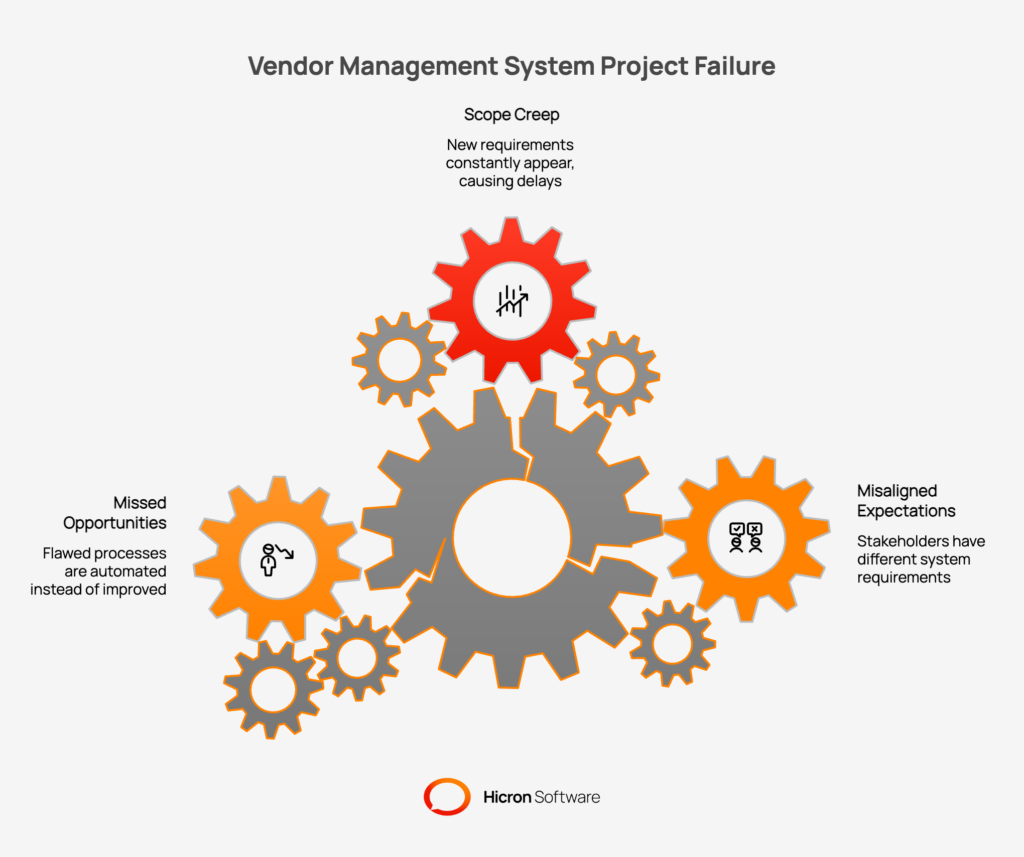
Many software projects fail to deliver on their promises. This usually happens because of insufficient preparation rather than faulty technology. If you skip the scoping phase, you invite several risks that can derail your initiative.
The first major risk is misaligned expectations between stakeholders. Your Quality team might expect the system to handle complex audits, while Procurement thinks it is only for contract storage. If these differences are not resolved early, they cause conflict during implementation.
Scope creep is another dangerous result of poor planning. Without a defined scope, new requirements appear constantly. This leads to project delays and budget overruns. You might end up paying for custom development that was not part of the original plan.
Finally, rushing the planning stage leads to missed opportunities. You might automate a flawed manual process instead of improving it. Proper scoping allows you to address critical pain points fundamentally. It ensures you build a solution that truly serves the business.
Before you list features, you must articulate the reasons for the project. Why is this change necessary right now? Start by identifying your key pain points. Perhaps supplier onboarding is too slow and causes production delays. Maybe you lack visibility into supplier quality data. You might struggle with compliance tracking or inefficient order management.
Once you identify the problems, align your objectives with broader business goals.
You must prioritize these objectives. Separate the “must-haves” from the “nice-to-haves.” If you try to solve every problem at once, the project becomes too complex. Focus on the objectives that deliver the most value.
Vendor management system project planning affects the entire organization. It is not just a Procurement project. You need to identify key stakeholders early.
Conduct discovery workshops with these groups to gather input. Ask them about their daily challenges. Find out what stops them from being efficient. This input helps you align on priorities.
Create a RACI matrix to clarify roles. Define who is Responsible, Accountable, Consulted, and Informed. This clarity prevents confusion about decision-making authority. It ensures everyone knows their role in the project.
You cannot improve a process you do not understand. Document your existing workflows in detail. Map out how supplier onboarding happens today. Track the lifecycle of a Purchase Order (PO). Document how audits are scheduled and how complaints are resolved.
Look for inefficiencies and bottlenecks. Identify where manual tasks slow things down. Highlight areas where data is re-entered manually. These are the problems your new VMS must solve.
Identify integration points with other systems. Your VMS needs to exchange data with your ERP, Product Lifecycle Management (PLM), and financial systems. Document these integration needs clearly. Knowing your technical landscape prevents surprises during implementation.
This step transforms your business needs into specific software features. This list forms the core of your VMS scoping guide.
These are the essential capabilities your system must have.
Depending on your goals, you might need more specialized features.
Data synchronization is vital. You need ERP integration that supports real-time data sharing. When a supplier updates their address in the VMS, it should update in your ERP automatically. API support is crucial for connecting with other business tools.
You need to know how to measure the success of your Vendor Management System project. Set clear goals and Key Performance Indicators (KPIs).
Define specific outcomes you want to achieve. For example:
Choose metrics that show progress toward your goals.
Break your success metrics down by phase.
|
Phase |
Month |
Success Metric |
|
Pilot Launch |
Month 3 |
Successful adoption by 5 key suppliers |
|
Division Rollout |
Month 6 |
Full usage by one specific business unit |
|
Full Implementation |
Month 12 |
Global rollout across all regions |
A “big bang” approach carries high risk. It is better to create a Vendor Management System implementation roadmap that delivers value in stages.
Phase 1: Core Modules
Focus on the foundation first. Implement supplier onboarding and document control. Get your supplier database clean and centralized. This provides immediate value and establishes a single source of truth.
Phase 2: Quality Workflows
Once the core data is stable, add operational workflows. Implement NCR and CAPA processes. Launch dashboards and reporting tools. This phase deepens the value for the Quality and Procurement teams.
Phase 3: Advanced Capabilities
In the final phase, roll out advanced features. Turn on predictive analytics and deeper integrations. This phase optimizes the system for long-term performance.
Include timelines for each phase. Identify dependencies between tasks. Allocate resources appropriately. A phased approach keeps the team focused and prevents burnout.
|
Phase |
Focus |
Key Actions |
|
Phase 1: Core Modules |
Foundation |
Clean supplier database, launch supplier onboarding workflows, and document control. |
|
Phase 2: Operational Workflows |
Transactions |
Implement quality management workflows (NCRs, CAPAs), enable dashboards and reporting. |
|
Phase 3: Optimization |
Advanced Capabilities |
Roll out advanced analytics, deeper integrations, and predictive capabilities. |
Your VMS project scope determines your budget and resource needs. You must estimate costs accurately to secure approval.
Consider all cost categories:
Identify the resources you need. You will need an internal project manager. You need support from IT for integrations. You might need external consultants for process design.
Plan for the long term. Budget for ongoing maintenance and system updates. A VMS requires care after the initial launch to remain effective.
Every project faces obstacles. Identify potential risks early and plan how to handle them.
Common Risks:
Mitigation Strategies:
With a clear project scope and roadmap in place, you are prepared to select a development partner to build your custom vendor management software. This process is about finding a partner who has the technical expertise and aligns with your company’s long-term vision. Follow this structured path to make an informed decision.
The initial step is to establish clear criteria for evaluating potential partners. This ensures you assess each candidate consistently against your most important needs.
The RFP process formalizes your requirements and allows for a direct comparison between potential partners. It moves beyond marketing claims to concrete capabilities.
Before making a final commitment, a Proof of Concept provides tangible evidence that the proposed solution will work in your environment. This is a hands-on test that validates the partner’s promises.
The best software fails if people do not use it. Change management is critical for success. You need a plan to help your team and suppliers adapt to the new system.
Develop a comprehensive communication plan. Explain why the change is happening and how it benefits everyone. Provide training tailored to each role. Buyers need different training than Quality engineers. Suppliers need guidance on how to use the portal.
Monitor adoption after launch. Track login rates and usage. Gather feedback from users. Address their concerns quickly to build confidence in the system.
Go-live is the start of the journey. You must monitor the system and optimize it over time.
Track your KPIs to see if you are meeting your goals. Look for gaps in performance. Use user feedback to identify areas for improvement. You might need to adjust a workflow or offer more training.
Roll out additional features based on your roadmap. As users get comfortable, introduce advanced capabilities. Schedule regular reviews with your vendor. Ensure the VMS evolves to meet changing business needs.
Learn from the mistakes of others to ensure your project succeeds.
A successful Vendor Management System implementation transforms how you manage suppliers. It requires careful planning and scoping. By following the steps in this guide, you build a solid foundation.
Recap:
Start today by organizing a discovery workshop. Gather your key stakeholders to align on goals and begin scoping your VMS project. With a clear plan, you will navigate the complexities of implementation and achieve lasting success. Contact us to get guidance on either the discovery phase or the entire project, we’ll gladly help.

The planning phase usually takes 4 to 8 weeks, depending on the organization’s size and complexity. This includes gathering requirements, mapping processes, and aligning stakeholders. Rushing this phase often leads to delays during implementation, so it is worth investing the time upfront.
You should involve representatives from Procurement, Quality, Finance, and IT. It is also beneficial to include a few key suppliers to get their perspective. This cross-functional approach ensures all business needs are considered and reduces the risk of missing critical requirements.
A phased approach reduces risk and allows for quicker value delivery. By launching core features first, users can adapt to the system gradually. It also allows the project team to learn from the initial phase and apply those lessons to subsequent rollouts of advanced features.
ROI is measured by tracking improvements in efficiency, cost, and risk. Common metrics include reduced administrative hours, faster onboarding times, improved supplier performance scores, and cost savings from consolidated spending. You should establish baseline metrics before implementation to accurately measure the impact.
Hicron Software proved to be a trusted partner with unmatched technical expertise, delivering a scalable and user-friendly web application that was pivotal to our successful U.S. market expansion.

Hicron’s contributions have been vital in making our product ready for commercialization. Their commitment to excellence, innovative solutions, and flexible approach were key factors in our successful collaboration.
I wholeheartedly recommend Hicron to any organization seeking a strategic long-term partnership, reliable and skilled partner for their technological needs.

After carefully evaluating suppliers, we decided to try a new approach and start working with a near-shore software house. Cooperation with Hicron Software House was something different, and it turned out to be a great success that brought added value to our company.
With HICRON’s creative ideas and fresh perspective, we reached a new level of our core platform and achieved our business goals.
Many thanks for what you did so far; we are looking forward to more in future!

Hicron is a partner who has provided excellent software development services. Their talented software engineers have a strong focus on collaboration and quality. They have helped us in achieving our goals across our cloud platforms at a good pace, without compromising on the quality of our services. Our partnership is professional and solution-focused!

The IT system supporting the work of retail outlets is the foundation of our business. The ability to optimize and adapt it to the needs of all entities in the PSA Group is of strategic importance and we consider it a step into the future. This project is a huge challenge: not only for us in terms of organization, but also for our partners – including Hicron – in terms of adapting the system to the needs and business models of PSA. Cooperation with Hicron consultants, taking into account their competences in the field of programming and processes specific to the automotive sector, gave us many reasons to be satisfied.

