What is a Vendor Management System (VMS)? 2026 Guide
- October 03
- 12 min

A Vendor Management System (VMS) is a software platform that businesses use to manage their interactions with suppliers and external labor. The choice between a cloud-based and an on-premises VMS deployment is a fundamental decision that impacts security, cost, and operational speed. Many organizations are re-evaluating their deployment models to better align with their strategic goals. Both cloud and on-premises solutions can be effective. The correct choice depends on a company’s specific priorities regarding security, compliance, control, and total cost of ownership.
This article explores the differences between cloud and on-premises Vendor Management Systems. We will compare their strengths and weaknesses across several key areas, including security, customization, integration, performance, and cost. By understanding these factors, you can make an informed decision that best supports your business strategy and operational requirements.
Key Takeaways
Understanding the fundamental differences between cloud and on-premises deployment models is the first step in choosing the right path for your Vendor Management System.
A Cloud VMS is a solution hosted by a third-party provider on their own servers. You access the software over the internet, typically through a web browser. This model usually involves a subscription-based pricing structure (Operating Expense, or OpEx), where you pay a recurring fee. The provider manages all the underlying infrastructure, maintenance, security, and updates. This approach offers elastic resources, meaning you can scale your usage up or down as needed without purchasing new hardware.
An On-Premises VMS is installed and operated from your company’s own data center or servers. Your internal IT team is responsible for managing the hardware, software, security, and all ongoing maintenance. This model is a capital expenditure (CapEx), as it requires an upfront investment in server hardware and software licenses. It gives your organization complete control over the system and its data.
A Hybrid VMS exists as a middle path. This model combines elements of both cloud and on-premises deployments. For example, a business might keep core vendor data and transaction processing on-premises for security reasons while using a cloud service for analytics and reporting. This allows companies to find a balance that suits their unique requirements.
Choosing between cloud and on-premises is both a technical and a strategic decision. Your evaluation should be based on several business and operational factors. Let’s examine the criteria that will guide your choice.
Analyzing your needs in each of these areas will provide a clear picture of which deployment model is the better fit for your organization.
For any VMS, security is a primary concern. You are managing sensitive vendor information, contracts, and financial data. How each model handles security is a critical point of comparison.
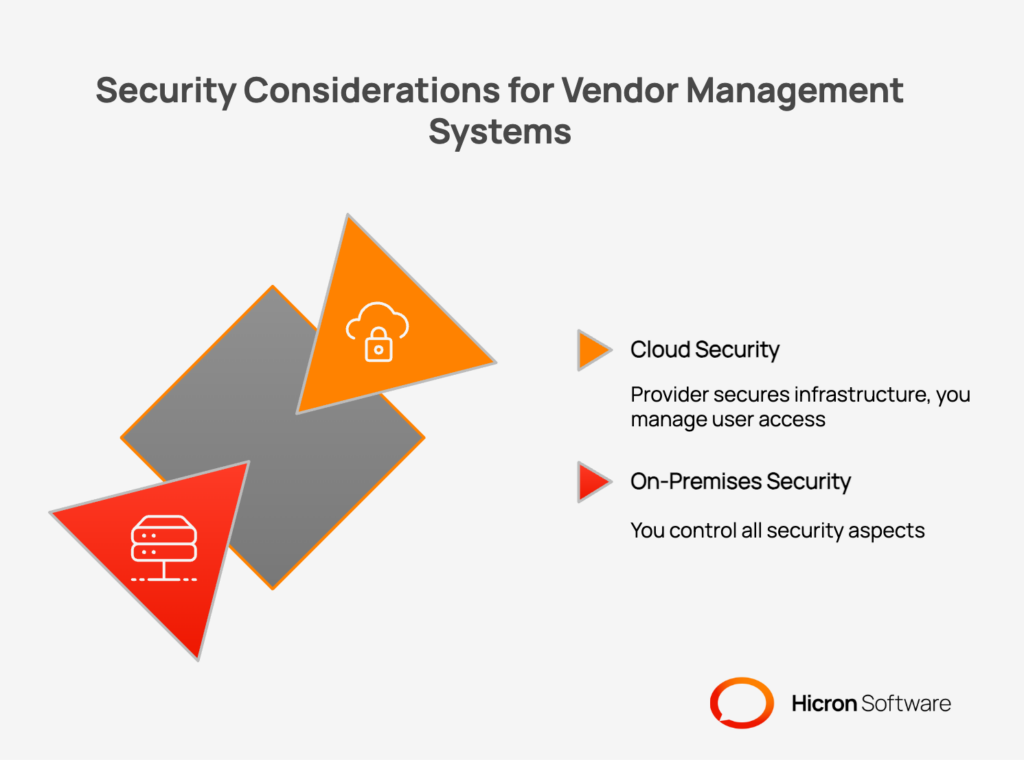
With a cloud VMS, you enter into a shared responsibility model for security. The provider is responsible for securing the underlying infrastructure: the servers, networks, and physical data centers. They invest heavily in advanced security tooling and dedicated expert teams, often providing a stronger security posture than many individual companies can achieve on their own. They also manage security patching, ensuring vulnerabilities are addressed quickly.
However, you remain responsible for how you use the service. This includes managing user access, configuring security settings correctly, and ensuring the data you put into the cloud complies with regulations. A potential downside is the third-party dependency; your data resides on someone else’s servers. This can create concerns around data residency and sovereignty, as you may have less control over the physical location of your data. Reputable cloud providers address this by offering regional data centers and obtaining certifications like SOC 2 and ISO 27001 to validate their security practices.
An on-premises VMS gives you complete control over your security environment. Your data stays within your own data center, behind your own firewalls. This is often a requirement for organizations in highly regulated industries or those with strict data sovereignty rules. You can implement bespoke Role-Based Access Controls (RBAC) and even operate the system in an “air-gapped” environment, completely disconnected from the public internet for maximum security.
This control comes with full responsibility. Your in-house IT team must manage everything, from physical server security to network monitoring and software patching. The burden of staying current with security threats, acquiring the right tools, and staffing a knowledgeable security team falls entirely on you. This can be a substantial and ongoing operational cost.
Every business has unique processes for managing vendors. The ability to adapt your VMS to these workflows is essential for efficiency and user adoption.
Cloud VMS solutions are designed to serve a broad customer base, so they prioritize configuration over deep customization. You can typically adjust workflows, change fields, and set up approval chains using built-in administrative tools. A major benefit is that you gain access to new features and improvements as soon as the provider releases them.
The limitation is that you cannot change the core code of the software. If you have a highly specialized process that the platform does not support out of the box, you may need to adjust your process to fit the software. While providers are continuously expanding their configuration options, you are ultimately working within the boundaries they set.
With an on-premises VMS, you have complete control. You can modify the software at a deep level, build custom modules, and develop unique extensions to meet very specific business needs. This is a powerful advantage for companies with complex, long-standing workflows that provide a competitive edge.
You also control the update cadence. You can test new versions extensively in a staging environment before rolling them out, ensuring they do not disrupt your custom integrations or workflows. The drawback is that these customizations require specialized development resources to build and maintain. Each time you update the core VMS, you must ensure your custom code is still compatible, which can add complexity and cost to the upgrade process.
A VMS does not operate in a vacuum. It must connect with other critical business systems, such as Enterprise Resource Planning (ERP), Product Lifecycle Management (PLM), and Manufacturing Execution Systems (MES), to create a unified data flow.
Modern cloud VMS platforms are typically built with an API-first approach. This means they are designed to be easily connected to other software using Application Programming Interfaces (APIs). This works very well for integrating with other modern SaaS applications. Companies can also use an Integration Platform as a Service (iPaaS) to manage the connections between various cloud and on-premises applications.
A potential challenge arises when connecting a cloud VMS to legacy systems that are hosted on-premises. Data transfer between the cloud and your local data center can introduce latency, which may be an issue for processes that require real-time data exchange.
An on-premises VMS sits on the same local network as your other internal systems, such as your SAP or Oracle ERP. This proximity allows for very fast, low-latency integrations. Direct database connections or file transfers are simple to implement and manage. This is a major benefit for manufacturing firms or other businesses where real-time communication between the VMS and other operational systems is critical. You can also build anti-corruption layers to decouple the systems, preventing changes in one system from breaking another.
Your VMS needs to be available when your team needs it, and it must be able to handle your workload as your business grows.
Cloud providers design their platforms for high availability (HA). They use redundant hardware and have data centers in multiple geographic regions to ensure the system stays online even if one component fails. They also offer elastic scaling, automatically adding more resources to handle peaks in demand. This means you get excellent uptime and performance without having to manage the underlying infrastructure.
The main dependency is your internet connection. If your local connectivity goes down, your team will not be able to access the VMS. For global companies, a cloud VMS provides consistent access for users located anywhere in the world.
With an on-premises system, performance is highly predictable because it is not subject to internet latency. All activity occurs on your local network. You have the responsibility to design and build your own high-availability architecture, which might involve techniques like server clustering and data replication.
Scaling the system requires capacity planning. Your IT team must anticipate future growth and purchase and configure new hardware in advance to meet demand. This process is slower and less flexible than the elastic scaling offered by the cloud.
The financial implications of each model are quite different and often play a large role in the final decision.
A cloud VMS is an operating expense (OpEx). You pay a recurring subscription fee, which makes budgeting predictable. The upfront costs are very low, as you do not need to buy any server hardware or software licenses. This model is attractive for businesses that want to conserve capital and pay for the VMS out of their operating budget. It is important to consider all potential costs, including the base subscription, data storage fees, and data egress fees for moving data out of the cloud.
An on-premises VMS is a capital expense (CapEx). It involves a significant upfront investment in hardware, software licenses, and the IT staff needed for implementation. For companies that have already invested heavily in their own data centers, this model allows them to leverage those existing assets. Over the long term, an on-premises solution can have a lower TCO if the hardware is utilized for many years. However, you must factor in ongoing costs like electricity, cooling, maintenance contracts, hardware refreshes every few years, and IT staffing.
The time it takes to get your VMS up and running, and the internal resources required, are practical considerations that can influence your choice.
Cloud VMS solutions can be deployed very quickly. Because there is no hardware to procure or install, you can often get a basic system running in a matter of weeks. The provider manages the platform, which frees up your internal IT team to focus on other strategic initiatives. This model is ideal for organizations with lean IT departments or those that need to implement a VMS solution on a tight timeline.
An on-premises implementation takes longer. The process involves ordering and installing hardware, configuring the network, and installing and testing the software. This can take several months. It requires a dedicated team with expertise in server management, networking, and security. While the initial lead time is longer, this approach gives your team deep knowledge of the system, which can be valuable for ongoing management and troubleshooting.
For some organizations, the best solution is not a strict choice between cloud and on-premises. A hybrid approach allows you to leverage the benefits of both models.
You might choose to keep your most sensitive vendor data and financial transaction processing on-premises to maintain tight control and meet compliance mandates. At the same time, you could use a cloud-based module for vendor analytics, performance reporting, or supplier onboarding portals. The cloud offers powerful tools for these functions that might be difficult to build and maintain in-house.
A hybrid strategy is also useful for phased migrations. You can start by moving a less critical function to the cloud as a pilot project. This allows you to gain experience with a cloud platform and test integrations before committing to a larger migration.
The right choice depends entirely on your business priorities. A simple checklist can help guide your decision. Answer “yes” or “no” to the following questions:
If you answered “yes” to most of the first five questions, an on-premises VMS is likely a strong fit. If you answered “yes” to most of the last five questions, a cloud VMS is probably the better choice. If your answers are split, a hybrid model deserves serious consideration.
Deciding between a cloud and an on-premises Vendor Management System is a critical step in modernizing your procurement and supplier management processes. There is no single answer that works for every company. The best approach is to carefully evaluate your unique requirements for security, integration, cost, and scalability. By matching the deployment model to your business strategy, you ensure that your VMS will be a valuable asset for years to come.
To move forward, consider running an assessment workshop to map your needs. Detail your integration points and pilot a solution to validate your choice before full commitment. And foremost, contact us, we’ll help you navigate.

The main difference is hosting. A cloud VMS is hosted by a third-party provider and accessed over the internet, while an on-premises VMS is installed on a company’s own servers and managed by its internal IT team.
Not necessarily. Cloud providers invest heavily in security and often have more resources than a single company. Security in the cloud is a shared responsibility. On-premises offers more control but places the entire security burden on your organization.
It depends on the timeframe. Cloud has a lower upfront cost but ongoing subscription fees. On-premises has a high upfront cost but can be cheaper over many years if you already have a data center and IT staff.
Yes, migrating from on-premises to the cloud is a common project, but it requires careful planning. A hybrid approach, where you move certain functions to the cloud first, can be an effective way to manage the transition.
A hybrid VMS combines both models. For example, a company might run its core transaction system on-premises for security and control, while using a cloud service for data analytics or a supplier-facing portal to benefit from the cloud’s flexibility and scale.
Yes, a cloud-based vendor management platform is generally more effective for generating real-time insights. These platforms are designed to centralize data from various sources and often include advanced, built-in analytics and reporting dashboards. Because the data is processed and stored in a unified cloud environment, you can access up-to-the-minute information on vendor performance, spending, and compliance from anywhere with an internet connection.
This centralized architecture allows for more dynamic and immediate analysis compared to some on-premises systems, where data might be siloed or require manual consolidation before insights can be drawn. The primary limitation is the dependency on internet connectivity; however, the ability to access live data and powerful analytical tools usually provides a distinct advantage for timely, data-driven decision-making.
Hicron Software proved to be a trusted partner with unmatched technical expertise, delivering a scalable and user-friendly web application that was pivotal to our successful U.S. market expansion.

Hicron’s contributions have been vital in making our product ready for commercialization. Their commitment to excellence, innovative solutions, and flexible approach were key factors in our successful collaboration.
I wholeheartedly recommend Hicron to any organization seeking a strategic long-term partnership, reliable and skilled partner for their technological needs.

After carefully evaluating suppliers, we decided to try a new approach and start working with a near-shore software house. Cooperation with Hicron Software House was something different, and it turned out to be a great success that brought added value to our company.
With HICRON’s creative ideas and fresh perspective, we reached a new level of our core platform and achieved our business goals.
Many thanks for what you did so far; we are looking forward to more in future!

Hicron is a partner who has provided excellent software development services. Their talented software engineers have a strong focus on collaboration and quality. They have helped us in achieving our goals across our cloud platforms at a good pace, without compromising on the quality of our services. Our partnership is professional and solution-focused!

The IT system supporting the work of retail outlets is the foundation of our business. The ability to optimize and adapt it to the needs of all entities in the PSA Group is of strategic importance and we consider it a step into the future. This project is a huge challenge: not only for us in terms of organization, but also for our partners – including Hicron – in terms of adapting the system to the needs and business models of PSA. Cooperation with Hicron consultants, taking into account their competences in the field of programming and processes specific to the automotive sector, gave us many reasons to be satisfied.

