Cloud vs On-Premise: Which Type of BPA Solution is Right for Your Business?
- November 14
- 6 min

On-premises deployment means the engineering team owns backup, replication, recovery, monitoring, failover, and scaling with no managed service to fall back on. Organizations accept that responsibility for clear reasons: regulations forbid data from leaving a private network, auditors require direct control over where data lives, and internal IT policy rules out cloud infrastructure entirely.
Local infrastructure requirements force engineering teams to design backup and scaling systems manually. Cloud platforms typically train engineers to anticipate automatic scaling and managed databases. When deploying applications on local servers, the entire architecture shifts. Engineering teams then take on new responsibilities, including data replication and system monitoring. Readers will learn why local data centers persist and how architects build reliable systems within physical boundaries.
Key Takeaways
On-premises means software runs on a company’s own servers or private infrastructure, not in a public cloud.
In practice, that usually means the organization owns or controls:
Teams choose on-premises when they need tighter control over data, security, compliance, or internal IT standards.
A simple way to think about it:
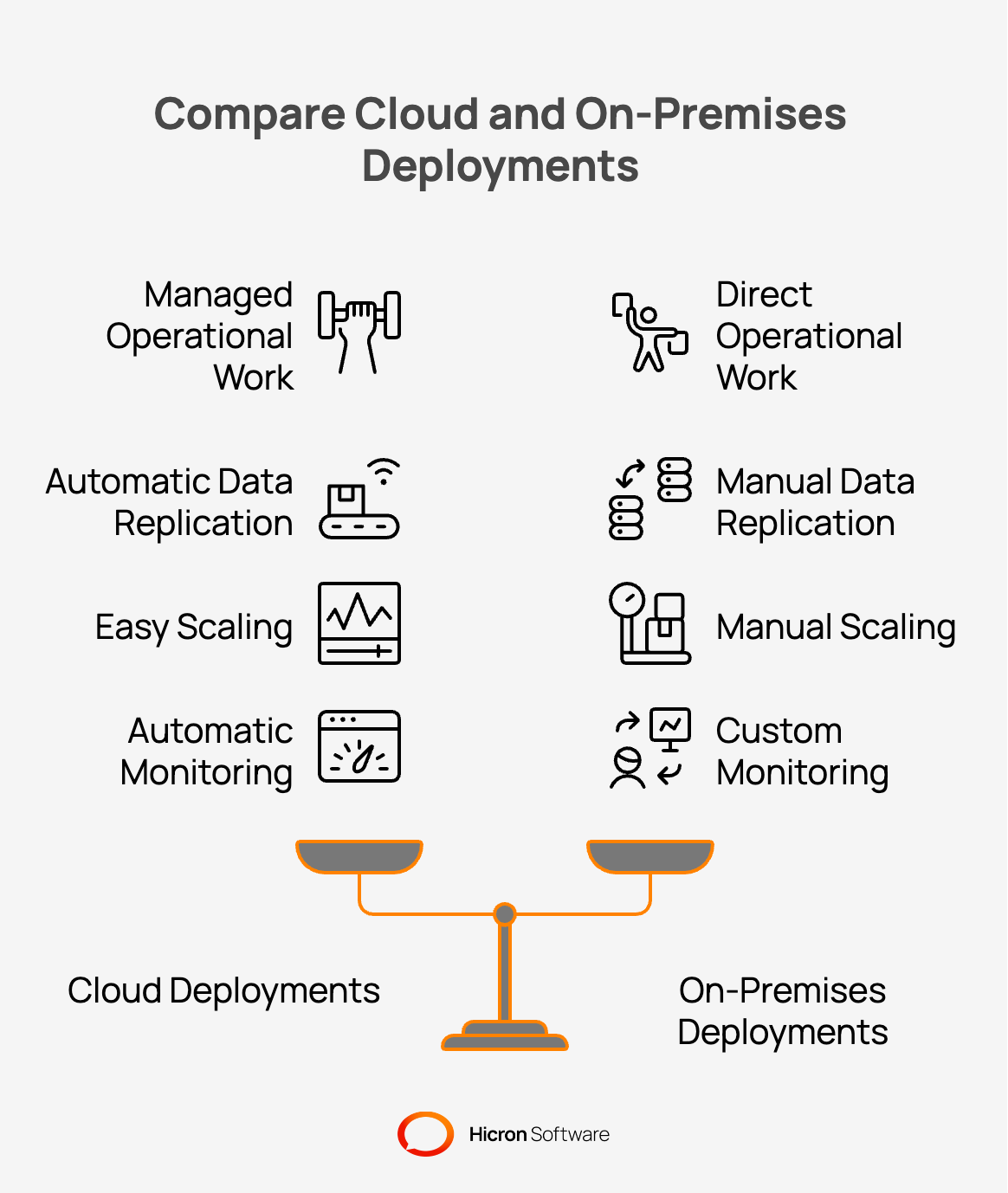
Managed cloud services hide an enormous amount of operational work behind clean interfaces. Local deployments return all that operational work directly to the engineering team. Cloud providers automatically handle backups, failover processes, and system monitoring, but on-premises installations may require a physical server, extra RAM, larger storage, network equipment, and backup power. Teams deploying to physical servers build these exact capabilities entirely from scratch.
Engineers are directly responsible for data replication. Keeping data consistent across servers requires explicit architectural planning. Cloud platforms treat scaling as a simple configuration adjustment, allowing for easy customization. Local environments require physical hardware procurement and manual cluster configuration.
Monitoring and observability require dedicated implementation effort. Engineers configure logs, metrics, and alerts to maintain visibility inside physical data centers. Without these custom tools, operations teams fly blind during an outage. Teams plan these operational features early to avoid project delays. Late infrastructure design causes expensive rework near the project deadline.
Enterprises select local infrastructure to ensure absolute control over data and budgets. This choice reflects serious business logic rather than outdated thinking. Decision-makers prioritize data sovereignty, financial predictability, and strict security policies to ensure compliance with domain requirements.
Regulated industries face strict legal rules regarding data storage and access. The Digital Operational Resilience Act (DORA) took effect across Europe in 2025. This law requires financial institutions to mitigate cloud concentration risks. According to the regulatory framework, organizations need transition plans to prevent sector-wide failures.
Data sovereignty laws prevent specific data types from leaving a country or physical building, especially when it involves sensitive operating system data. Companies maintain direct control over local servers to satisfy rigorous audit requirements. Auditors require proof of exactly where data lives and who accesses it. Local deployments provide the definitive answers these auditors expect.
Bringing structured workloads back to private data centers yields structural cost reductions. Organizations spending heavy amounts monthly often reduce costs by 30 to 60 percent. The public cloud charges a premium for elasticity and convenience. Globally, underutilized cloud resources account for approximately $44.5 billion in wasted expenditure annually.
Data transfer out of cloud networks generates massive egress fees. These specific fees frequently consume 15 to 20 percent of a total cloud budget. By moving data locally, companies eliminate these recurring transfer penalties. According to industry reports, Dropbox realized approximately $75 million in savings over two years by repatriating 90 percent of its data. Basecamp achieved millions in direct savings by shifting to localized server assets, enhancing their control over hardware and software resources.
Market changes frequently alter the financial viability of third-party platforms. Broadcom acquired VMware and completely restructured the hypervisor market. The company discontinued perpetual licenses and mandated new subscription bundles. According to market data, renewal costs increased by 300 to 1200 percent for many enterprises. These massive price hikes forced organizations to quickly evaluate alternative local solutions. IT leaders now view infrastructure hypervisors as high-level strategic decisions. Teams prefer to adopt open-source platforms to avoid sudden vendor price changes.
Architects treat physical deployment constraints as primary design inputs. Teams select appropriate hardware clusters and plan network topologies before writing application code. Designing local infrastructure requires rigorous technical sizing baselines.
Engineers provision each virtual processor core with 2 to 4 gigabytes (a production Windows VM) of dedicated physical memory. Database optimization requires allocating 15 percent of total database volume to physical temporary storage, particularly for SQL Server applications. Teams distribute workloads across a minimum of 3 to 4 independent virtual hosts. This distribution strategy eliminates single point of failure risks while adhering to system strict compliance requirements.
High availability in local data centers requires explicit redundancy and failover planning. Teams maintain redundancy by ensuring clusters have additional active servers beyond peak transaction needs. Architects assume components will fail and design systems to degrade gracefully.
On-premises backups require designing the entire backup lifecycle. This involves:
Engineers design backup and recovery procedures as core architectural features. Teams schedule regular restore tests to ensure backup viability. A backup never tested remains a hope rather than a reliable safeguard. Documentation provides clear instructions for the people operating the system daily.
Observability systems collect detailed metrics to help engineers identify production issues. Teams install agents on physical servers to aggregate system logs centrally, optimizing on-premises infrastructure. Creating custom dashboards provides real-time visibility into application health.
Alerting rules notify operations staff when specific thresholds exceed normal parameters. Engineers monitor processor usage, memory consumption, and disk input rates. Teams configure these tools during the initial development phase. Adding observability after a system launches creates dangerous blind spots.
Local security requires strict access controls and physical network isolation. Many organizations forbid exposing core systems to the public internet. For this, teams implement zero-trust logic inside the corporate network boundary.
Complete control best practices include:
Security engineers require multi-factor authentication and automated session logging. Role-based access controls ensure that users access only permitted resources, in line with the minimum requirements for security. Administrators encrypt data at rest and data in transit across internal networks, ensuring compliance with both domain requirements and security policies. Regular penetration testing validates the strength of these local security measures, including firewall configurations.
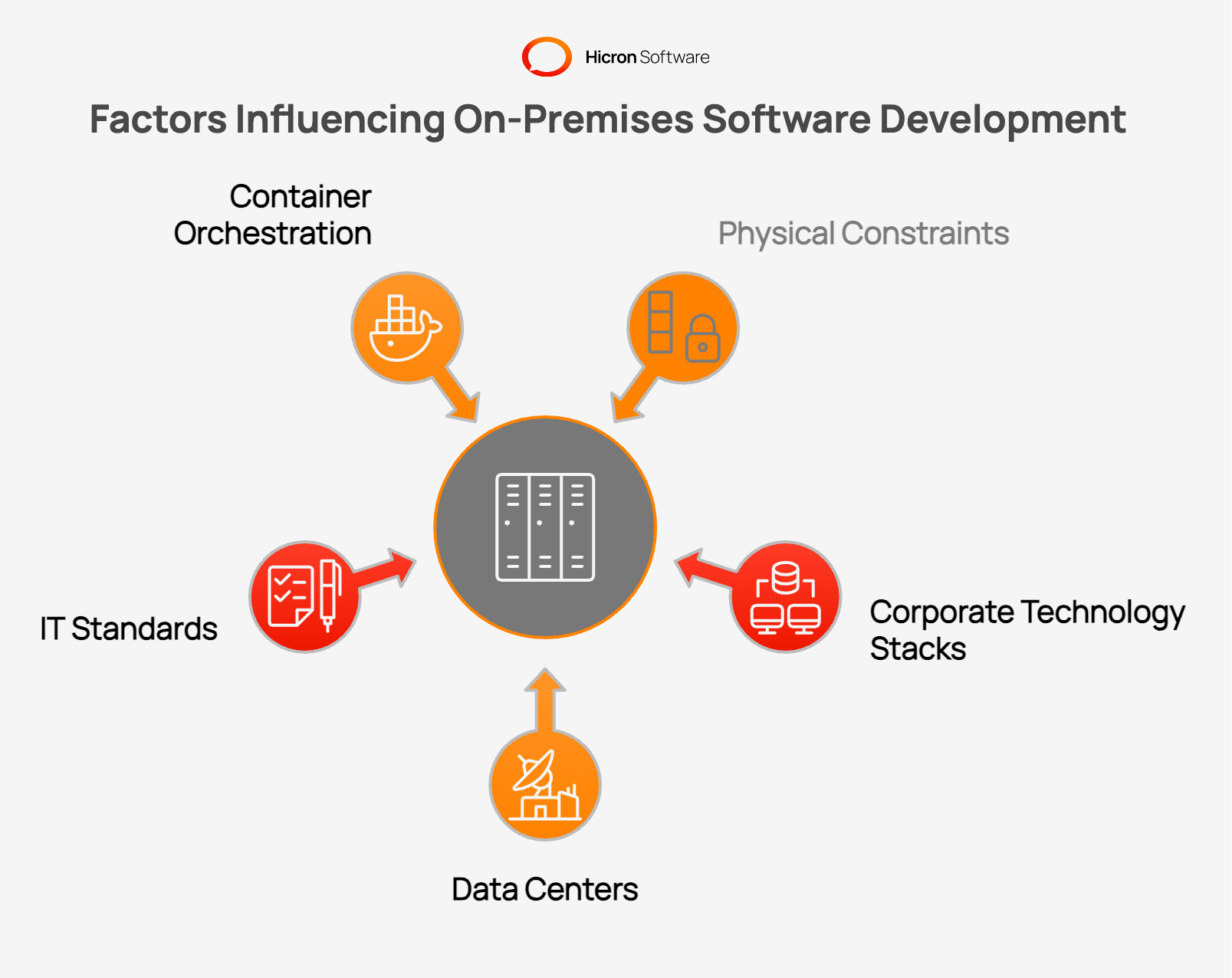
Physical constraints force development teams to adopt highly resilient coding patterns. Developers rely on existing corporate technology stacks to ensure smooth operational handoffs. Organizations often run their own data centers with established tooling and working methods. New software projects adapt to these established IT standards.
Teams adopt container orchestration tools to modernize local hardware management and meet hardware requirements. Platforms like Google Anthos or Azure Arc treat workloads as declarative objects. This approach allows organizations to enjoy modern deployment velocity while maintaining local hardware.
Asynchronous messaging prevents system collapse when individual components become temporarily unavailable. Services place messages into an event queue rather than requiring immediate responses. If a target module undergoes an update, the message waits safely in the queue. The target module processes the waiting message once it comes back online. This pattern prevents data loss during routine maintenance or unexpected failures. Developers implement event-driven architectures to decouple complex enterprise applications successfully.
Enterprise environments often contain deeply entrenched legacy software systems that may not meet current hardware and software standards. Integrating new applications with older systems requires careful architectural separation. Architects use an anti-corruption layer to isolate modern code from legacy data models. This design pattern maps legacy data formats into modern application structures. The modern application stays flexible and bypasses legacy system quirks. Teams extract essential data from tools like SAP without conforming to their rigid internal formats.
Local deployments present a rigorous engineering discipline for modern technology teams. Designing systems for physical environments builds tremendous operational maturity. Teams succeed by planning infrastructure operations during the first project meeting.
Enterprise Architects assess the client environment and modify designs to align with existing regulations. Decision makers weigh the preference for cloud convenience against regulatory constraints, particularly those related to on-premises installations. Organizations ensure durability by directly managing their disaster recovery plans.
Assess your existing infrastructure portfolio to identify which workloads are appropriate for deployment on physical servers. Perform a financial review of your monthly cloud expenditure to pinpoint potential repatriation opportunities. Provide training to your engineering teams on contemporary container orchestration techniques applicable to local environments. Reach out to a specialized engineering partner to assist in planning your next localized enterprise architecture.

Migration timelines depend entirely on the complexity of the application architecture. Simple workloads often transition to on-premises infrastructure within three to six months to reduce latency. Complex enterprise systems integrated with multiple cloud services take twelve to eighteen months.
Local deployments require upfront capital expenses for server hardware and networking equipment. Organizations pay for physical space, power consumption, and specialized cooling systems. Internal engineering teams require salary compensation to manage and maintain the hardware.
On-premises systems usually need a private internal network, domain integration, DNS setup, firewall rules, and secure access controls. Many also require static IP addresses, certificate management, and reliable connectivity between servers, users, and connected systems.
On-premises solutions include software that runs on a company’s own servers inside a private data center. Common examples are ERP systems, CRM platforms, document management tools, email servers, and database servers. Internal IT teams manage hosting, storage, updates, backups, and recovery for each system.
On-premises deployment means the team owns backup, replication, scaling, and monitoring with no managed fallback. Every operational task becomes internal work. The application runs on company-controlled servers, so there is no provider to absorb failures, patch infrastructure, or scale capacity on demand. Organizations choose this model to meet strict regulatory compliance. Others adopt it to protect data sovereignty, control operational costs, or enforce internal security policies. Architecture decisions reflect these constraints from day one.
Organizations running highly predictable software workloads achieve the largest financial savings. Financial institutions benefit by satisfying strict government compliance and audit regulations. Artificial intelligence companies lower expenses by running constant inference models on purchased local processors.
Tools that manage local hardware like a cloud environment usually fall into four groups: provisioning, virtualization, orchestration, and automation.
Some strong examples are:
MAAS for turning physical servers into a pool of ready to deploy hardware
Proxmox for managing local virtual machines and containers
OpenStack for building a private cloud environment across larger infrastructure
Kubernetes for scheduling and managing containerized workloads
OpenShift for an enterprise Kubernetes platform with added governance and tooling
Terraform for infrastructure as code and repeatable provisioning
Ansible for configuration management and post provisioning automation
OpenStack Ironic for bare metal provisioning at larger scale
Foreman for centralized provisioning and lifecycle management
Harvester for hyperconverged infrastructure built around Kubernetes virtualization
A simple way to think about it is this:
use MAAS or Ironic to manage physical servers
use Proxmox or OpenStack to run infrastructure like a private cloud
use Kubernetes or OpenShift to manage application workloads
use Terraform and Ansible to automate the whole setup
For a small or mid-sized on-premises setup, a common starting stack is Proxmox plus Ansible. For larger enterprise environments, teams often look at OpenStack, OpenShift, or a mix of provisioning and automation tools. For example, engineering teams use on-premises Kubernetes to orchestrate software containers across physical server clusters.
Infrastructure as Code (IaC) tools allow teams to script and automate the setup of local servers, reducing human error. While cloud environments lean heavily on Terraform or AWS CloudFormation, on-premises setups often utilize Ansible or specialized scripting to provision virtual machines and configure local networking rules consistently across testing and production environments.
The client’s existing IT workforce should dictate the technology stack. If an application can be built equally well in .NET or Java, choose the language the client’s internal team already knows. A delivery that aligns with existing skills is significantly easier to maintain and hand over.
When connecting to enterprise resource planning systems like SAP, engineers should implement the anti-corruption layer pattern. Rather than copying the external SAP data model directly into your application, you build a unique data model that serves your software’s specific needs. You then map the incoming SAP data to your internal model. This keeps the two systems loosely coupled. If the SAP database undergoes a structural update, your core application code remains protected from breaking changes.
Public clouds expose organizations to vendor pricing changes and unexpected service outages. Massive data transfers generate unpredictable network egress fees. Certain sensitive data violates regional sovereignty laws if stored in foreign cloud data centers.
Hicron Software proved to be a trusted partner with unmatched technical expertise, delivering a scalable and user-friendly web application that was pivotal to our successful U.S. market expansion.

Hicron’s contributions have been vital in making our product ready for commercialization. Their commitment to excellence, innovative solutions, and flexible approach were key factors in our successful collaboration.
I wholeheartedly recommend Hicron to any organization seeking a strategic long-term partnership, reliable and skilled partner for their technological needs.

After carefully evaluating suppliers, we decided to try a new approach and start working with a near-shore software house. Cooperation with Hicron Software House was something different, and it turned out to be a great success that brought added value to our company.
With HICRON’s creative ideas and fresh perspective, we reached a new level of our core platform and achieved our business goals.
Many thanks for what you did so far; we are looking forward to more in future!

Hicron is a partner who has provided excellent software development services. Their talented software engineers have a strong focus on collaboration and quality. They have helped us in achieving our goals across our cloud platforms at a good pace, without compromising on the quality of our services. Our partnership is professional and solution-focused!

The IT system supporting the work of retail outlets is the foundation of our business. The ability to optimize and adapt it to the needs of all entities in the PSA Group is of strategic importance and we consider it a step into the future. This project is a huge challenge: not only for us in terms of organization, but also for our partners – including Hicron – in terms of adapting the system to the needs and business models of PSA. Cooperation with Hicron consultants, taking into account their competences in the field of programming and processes specific to the automotive sector, gave us many reasons to be satisfied.

