Integrating Vendor Management Systems with SAP: Best Practices
- October 29
- 32 min

Vendor Management Systems (VMS) are digital platforms that businesses use to manage external labor, staffing agencies, and suppliers. Managing a high-volume vendor management system requires efficiently and securely processing and storing massive amounts of information: contracts, purchase orders, compliance documents, and performance metrics.
As businesses grow, the data generated by their supply chains explodes. A system that worked for fifty suppliers may crash under the weight of five thousand.
This article explores how to architect a VMS that can withstand this high-volume vendor data. We examine technical strategies like partitioning, replication, and backup systems that keep your VMS running smoothly, even as your data needs scale up.
Key Takeaways:
When a business scales, its VMS faces immediate pressure. Adding more suppliers does not just mean adding a few more rows to a spreadsheet. It creates a multiplier effect. Each new supplier brings contracts, certifications, and banking information. Once onboarded, that supplier generates purchase orders (POs), invoices, shipping notices, and quality inspection reports.
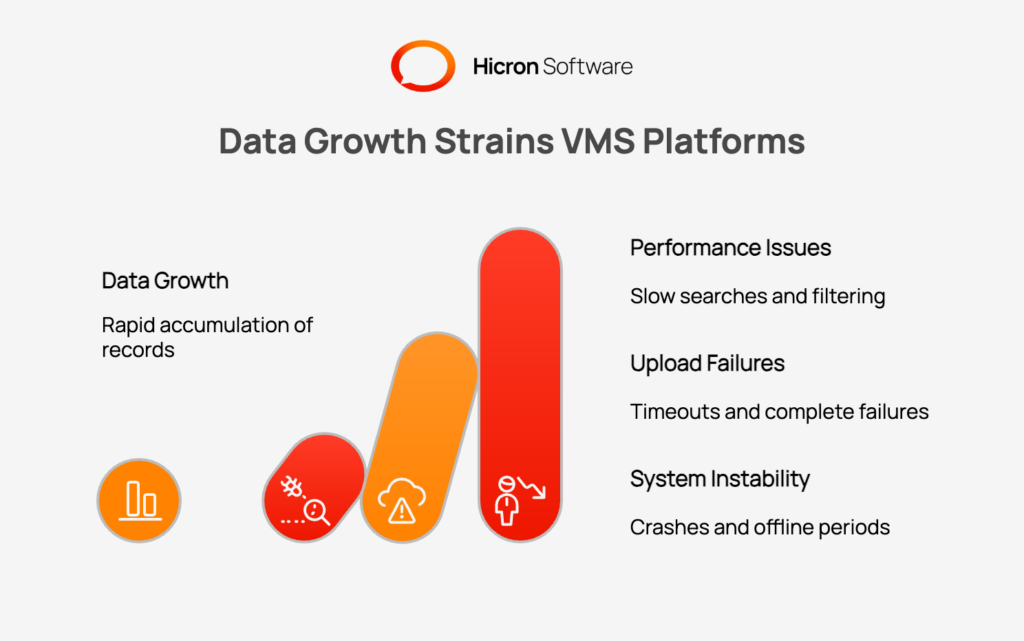
This rapid accumulation of records creates specific challenges. The first is performance. Simple tasks, such as searching for a specific invoice or filtering suppliers by region, become slow. Database queries that used to be instant now lag, causing frustration for procurement teams.
Uploads are another pain point. When users try to upload large compliance documents or bulk-import data, an overloaded system might time out or fail completely. Real-time dashboards can fail to load, hindering decision-making. Also, there is the risk of instability. A database struggling to manage high volumes is more prone to crashes. Without the right architecture, a spike in activity like end-of-quarter reporting could take the entire system offline.
To handle these challenges, you need a data architecture designed for scalability. You cannot rely on a standard, out-of-the-box database setup. You must structure your data in a way that distributes the workload.
Partitioning is a method of breaking down large database tables into smaller, more manageable pieces. Instead of the database searching through ten million records to find a purchase order from 2024, it can look specifically in the “2024” partition. This speeds up retrieval times dramatically. You can split data by date, region, or business division.
Sharding takes partitioning a step further. While partitioning usually happens on a single server, sharding distributes data across multiple physical servers. For example, you might store all data for North American suppliers on one server and European suppliers on another. This approach, known as horizontal scaling, ensures that no single server is overwhelmed by the total volume of requests.
Indexes are like the table of contents for your database. They allow the system to find specific data without scanning every single row. In a VMS, you should use composite indexes for complex searches. If your users frequently search for orders by both “Supplier Name” and “Order Date,” a composite index on these two fields will make those searches much faster.
Query optimization is equally important. This involves analyzing the requests your application makes to the database. Poorly written queries can force the database to do unnecessary work. By rewriting these queries to be more efficient, you can reduce the strain on your system.
“Hot data” refers to information that is accessed very frequently. In a VMS, this might include the profiles of your top ten suppliers or the list of open purchase orders. Fetching this data from the main database every time a user loads a page is inefficient.
Caching solves this by storing frequently accessed data in a high-speed memory layer, such as Redis. When a user requests this information, the system grabs it from the cache instantly. This provides a faster experience for the user and reduces the load on your primary database, allowing it to focus on more complex tasks.
System failures happen. Servers crash, power goes out, and networks fail. In a scalable VMS infrastructure, these failures should not result in downtime for your users. How to keep data accessible during failures? Data replication is the strategy that keeps your data accessible when things go wrong.
Replication creates copies of your data on different servers. There are two main ways to do this. Synchronous replication writes data to the primary server and a backup server at the same time. The transaction is not considered complete until both servers confirm they have the data. This guarantees that your copies are always identical, but it can be slightly slower.
Asynchronous replication writes to the primary server first and then copies the data to the backup server in the background. This is faster, but there is a tiny delay before the backup is updated. For most VMS functions, a mix of both strategies works best depending on how critical the data is.
To protect against larger disasters, you should replicate data across different physical locations. Multi-zone replication keeps copies in different buildings within the same region. If one data center has a power outage, the other takes over.
Multi-region replication is even more robust. It stores copies of your data in completely different geographic areas, such as New York and London. This ensures that even a major regional event, like a hurricane or earthquake, will not wipe out your data or take your system offline.
Reporting and analytics place a heavy load on databases. If a manager runs a massive report to analyze five years of spending, it can slow down the system for everyone else. Read replicas solve this. These are read-only copies of your database used specifically for viewing data. You can direct all reporting tools to use the read replicas, leaving the primary database free to handle new orders and updates.
While replication ensures high availability, it does not protect against data corruption or accidental deletion. A corrupted data entry or a mistaken bulk delete will be faithfully replicated to all your copies. This is where a robust backup and recovery strategy becomes essential.
|
Strategy |
Description |
Implementation Details |
|
Automated Backups |
Essential for protecting against data loss from hardware failure, software bugs, or human error. It removes the risk of manual backup inconsistencies. |
Schedule full database snapshots during off-peak hours (e.g., daily or weekly). Supplement with frequent incremental backups (e.g., hourly) to capture recent changes and minimize potential data loss. |
|
Point-in-Time Recovery (PITR) |
Provides granular recovery from specific errors, like accidental data deletion, without restoring the entire database and losing subsequent work. |
Combine a full database backup with a continuous log of all transactions. This allows you to restore the system to a precise moment just before an error occurred. |
|
Offsite and Cloud Backups |
Protects backups from localized disasters (e.g., fire, flood) that could destroy both the primary system and its local recovery copies. |
Store backup copies in a geographically separate and secure location. Use cloud services like Amazon S3 or Azure Blob Storage for a durable and cost-effective disaster recovery solution. |
Manually backing up a large, active database is impractical and prone to error. Automated backups should be a standard practice. You can schedule full database snapshots to occur daily or weekly during off-peak hours. In addition, incremental backups can be run more frequently (e.g., every hour) to capture only the changes made since the last backup. This combination minimizes the potential for data loss while managing the performance impact of the backup process.
Imagine discovering that a critical set of records was accidentally deleted yesterday afternoon. With standard backups, you might have to restore the entire database from the previous night’s snapshot, losing a full day’s work. Point-in-Time Recovery (PITR) allows you to restore the database to a specific moment, such as right before the accidental deletion occurred. It works by combining a full backup with a continuous log of all subsequent transactions, giving you granular control over the recovery process.
Storing your backups in the same data center as your primary database is a risky proposition. A fire, flood, or major technical failure could wipe out both your live system and your recovery copies. It is critical to store backups in a separate, secure, offsite location. Cloud storage services like Amazon S3 or Azure Blob Storage are excellent, cost-effective options for offsite backups, providing durability and geographic separation for disaster recovery.
As your VMS data grows, so do your storage costs. However, much of this data becomes less active over time. A purchase order from five years ago is rarely accessed, but it may need to be retained for compliance or auditing purposes. An effective data archiving strategy helps you manage storage costs without deleting valuable historical information.
Data archiving is the process of moving inactive data from expensive, high-performance primary storage to more affordable, long-term “cold storage.” You can define rules to automatically archive records based on their age or status. For example, all purchase orders that have been closed for more than two years could be moved to an archival database or a cloud storage tier. The data remains accessible if needed but no longer consumes premium storage resources.
Data retention policies are formal rules that dictate how long different types of data must be kept and when they can be securely deleted. These policies are often driven by legal and regulatory requirements, such as tax laws or industry-specific compliance standards. A clear retention policy ensures you are not storing data indefinitely, which helps control costs and reduce your compliance footprint.
When moving data to archival storage, you can use techniques to reduce its size. Compression algorithms can shrink the storage footprint of documents and database records. Deduplication identifies and removes redundant copies of data, storing only a single instance. Both methods help lower long-term storage costs for your archived VMS data.
Building a scalable system is not a one-time task. Continuous monitoring of the system ensures its uninterrupted, proper operation.
|
Bottleneck Management Strategy |
Importance |
Implementation Details |
|
Database Metrics |
Provides essential visibility into database health and performance, serving as an early warning system for degradation that requires optimization or scaling. |
Monitor key indicators such as query latency (request duration), IOPS (disk read/write speed), and connection pooling (concurrent user access) to detect performance dips. |
|
Load Testing |
Critical for predicting system behavior during traffic spikes and stress-testing architecture in a controlled environment before real users are affected. |
Use specialized tools to simulate high volumes of users and data simultaneously. Identify specific weak points, such as search functions crashing under load, to fix them preemptively. |
|
Query Profiling |
Helps pinpoint the exact cause of system slowdowns, which are often traceable to specific, inefficient database commands rather than hardware issues. |
Utilize profiling tools to analyze application commands sent to the database. Identify slow-executing queries so developers can rewrite them or add indexes for improved speed. |
You need visibility into how your database is performing. Key metrics to watch include query latency (how long a request takes), IOPS (how fast data can be read from or written to the disk), and connection pooling (how many users are accessing the database at once). If these metrics start to degrade, it is an early warning sign that you need to optimize or scale up.
How will your system perform during a spike in traffic? Use load testing tools to simulate high volumes of users and data. This allows you to stress-test your architecture in a controlled environment. You might discover that a specific search function crashes when 500 users use it simultaneously. Finding this out during a test allows you to fix it before it affects real business operations.
When your Vendor Management System slows down, the culprit is often a specific, inefficient query. Query profiling tools analyze the commands your application sends to the database. They can identify queries that are taking too long to execute. Developers can then look at these specific queries and rewrite them or add indexes to make them faster.
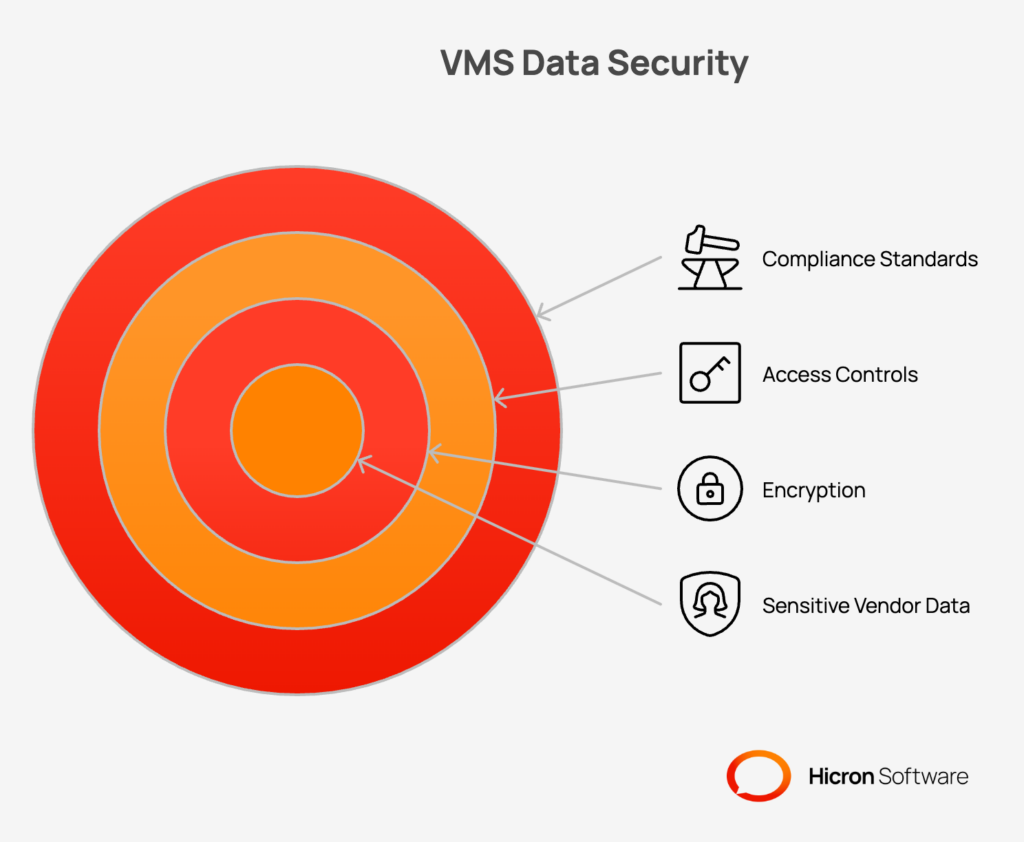
A VMS contains a wealth of sensitive information, including supplier financial details, contract terms, and employee data. As your dataset grows, the challenge of securing this information at scale becomes more complex. A multi-layered security approach is essential for data governance and compliance.
All sensitive data within your VMS should be encrypted. Encryption at rest protects data stored on disk, ensuring it is unreadable even if an attacker gains physical access to the server or storage media. Encryption in transit protects data as it moves between your VMS and users or between different system components, using protocols like TLS to prevent eavesdropping.
Not everyone in your organization needs access to all VMS data. Role-Based Access Control (RBAC) is a critical security measure that restricts user access based on their job function. A procurement manager might have full access to purchase orders, while a quality assurance specialist may only see inspection reports. Complementing RBAC with detailed audit logs, which track who accessed what data and when, provides a clear trail for security and compliance audits.
Your data management practices must align with regulations like GDPR and CCPA. These regulations impose strict requirements for handling personal data, including rules for data consent, access, and deletion. Building these compliance requirements into your architecture from the start saves you from legal headaches later on.
Cloud-native solutions offer tools that make handling high data volumes much easier than managing physical servers.
Cloud providers like AWS, Azure, and Google Cloud offer managed database services (e.g., Amazon RDS, Azure SQL Database, Google Cloud Spanner). These services handle many of the complex administrative tasks, such as patching, backups, replication, and failover, allowing your team to focus on application development rather than database management. They are designed for high availability and can be scaled up or down with just a few clicks.
A VMS often needs to store large binary files, such as signed contracts, technical drawings, or compliance certificates. Storing these files directly in a database is inefficient and expensive. Cloud object storage services like Amazon S3 or Azure Blob Storage are the ideal solution. They offer virtually unlimited, highly durable, and low-cost storage for unstructured data, accessible via a simple API.
Data volumes fluctuate. You might have huge traffic during the holidays and less in the summer. Autoscaling allows your cloud infrastructure to automatically add more power when traffic is high and reduce it when traffic is low. This ensures you always have enough performance without paying for idle servers during quiet periods.
Even with the most resilient architecture, failures can and do happen. A comprehensive disaster recovery (DR) plan ensures you can recover your VMS quickly and effectively in the event of a major outage.
A Disaster Recovery (DR) playbook is a document that outlines exactly what to do if the system fails. It lists the steps to recover data, the people to contact, and the passwords needed. Having this written down ensures that your team can act quickly and calmly during an emergency.
Failover is the process of switching to a backup system when the primary one fails. Automated failover mechanisms monitor your system health. If they detect a crash, they instantly redirect traffic to a standby server. This often happens so quickly that users do not even notice a problem.
Test your disaster recovery plan. Schedule regular drills where you simulate a failure and practice restoring the system. This helps you find gaps in your plan and ensures that your backups actually work.
Implementing a comprehensive data management strategy for a high-volume VMS can seem daunting. A phased approach makes the process manageable and allows you to deliver incremental value along the way.
|
Phase |
Focus |
Key Actions |
|
Phase 1: Foundational Improvements |
Implementing basic strategies that deliver the most immediate impact on performance and data safety. |
|
|
Phase 2: Enhancing Resilience & Efficiency |
Building on the foundation to improve system availability, data protection, and cost-effectiveness. |
|
|
Phase 3: Advanced Scalability & Recovery |
Preparing the system for large-scale or global operations with dynamic resource management and a formalized recovery plan. |
|
To validate your efforts and justify continued investment, it is important to measure the impact of your data management strategies. Key Performance Indicators (KPIs) can provide clear, quantitative evidence of success.
These metrics provide a balanced view of performance, reliability, and cost-efficiency, ensuring your data management strategy delivers tangible business value.
|
KPI Metric |
Description & Importance |
Target Goal |
|
Query Response Time |
Measures the speed at which the database processes and returns user requests. Essential for user experience. |
Decrease (Lower is better) |
|
Backup Completion Rate |
Indicates the reliability of data protection routines. Ensures data is safe and recoverable. |
100% Success |
|
Recovery Time Objective (RTO) |
Measures the maximum acceptable length of time that the system can be offline after a crash. |
Minimize (Fastest possible restoration) |
|
Storage Cost per GB |
Tracks the financial efficiency of data storage, reflecting the success of archiving and compression. |
Stabilize or Drop |
|
Uptime Percentage |
The percentage of time the system is operational and available to users. A critical measure of reliability. |
≥ 99.9% |
There are common traps that organizations fall into when managing high data volumes.
Managing a high data volume vendor management system is a challenge that comes with growth. It requires moving away from basic setups and adopting a professional data architecture. By implementing partitioning, replication, and robust backup strategies, you ensure your VMS remains fast and reliable.
Do not wait for the system to crash before you act. Audit your current architecture today. Identify the bottlenecks and start implementing these strategies. A scalable VMS is the backbone of a healthy supply chain, enabling your business to grow without limits.
Ready to build a Vendor Management System that scales with your business? Contact us today to learn how our experts can design a robust, high-performance data infrastructure tailored to your needs.

Vertical scaling involves adding more power (CPU, RAM) to a single server to handle more load. Horizontal scaling, also known as sharding, involves adding more servers and distributing the data across them. Horizontal scaling is generally better for long-term growth and high data volumes.
For high-volume systems, a daily full backup is standard, combined with transaction log backups every 5 to 15 minutes. This ensures that in the event of a failure, you lose very little data.
Partitioning splits large tables into smaller segments. This allows the database engine to scan only the relevant segment rather than the entire table when running a query, which results in much faster response times.
Cold storage is a low-cost storage option designed for data that is rarely accessed. You should use it for archiving old records, such as purchase orders or compliance documents that are several years old and no longer needed for daily operations.
Caching stores frequently accessed data in fast memory. When a user requests this data, it is served instantly from the cache instead of waiting for a slow database query. This makes the application feel snappy and responsive.
Hicron Software proved to be a trusted partner with unmatched technical expertise, delivering a scalable and user-friendly web application that was pivotal to our successful U.S. market expansion.

Hicron’s contributions have been vital in making our product ready for commercialization. Their commitment to excellence, innovative solutions, and flexible approach were key factors in our successful collaboration.
I wholeheartedly recommend Hicron to any organization seeking a strategic long-term partnership, reliable and skilled partner for their technological needs.

After carefully evaluating suppliers, we decided to try a new approach and start working with a near-shore software house. Cooperation with Hicron Software House was something different, and it turned out to be a great success that brought added value to our company.
With HICRON’s creative ideas and fresh perspective, we reached a new level of our core platform and achieved our business goals.
Many thanks for what you did so far; we are looking forward to more in future!

Hicron is a partner who has provided excellent software development services. Their talented software engineers have a strong focus on collaboration and quality. They have helped us in achieving our goals across our cloud platforms at a good pace, without compromising on the quality of our services. Our partnership is professional and solution-focused!

The IT system supporting the work of retail outlets is the foundation of our business. The ability to optimize and adapt it to the needs of all entities in the PSA Group is of strategic importance and we consider it a step into the future. This project is a huge challenge: not only for us in terms of organization, but also for our partners – including Hicron – in terms of adapting the system to the needs and business models of PSA. Cooperation with Hicron consultants, taking into account their competences in the field of programming and processes specific to the automotive sector, gave us many reasons to be satisfied.

