What is a Vendor Management System (VMS)? 2026 Guide
- October 03
- 12 min

VMS wireframes are low-fidelity, structural blueprints used in vendor management system design. They visually map out the layout, user flows, and core functionality of a VMS before any code is written, providing a clear guide for development.
Vendor Management System (VMS) projects are complex undertakings. They involve numerous modules, diverse user groups with different permissions, and critical business processes. With so many moving parts, ensuring all stakeholders are aligned from the very beginning is crucial. A misunderstanding about a workflow or a data field can lead to expensive rework and project delays.
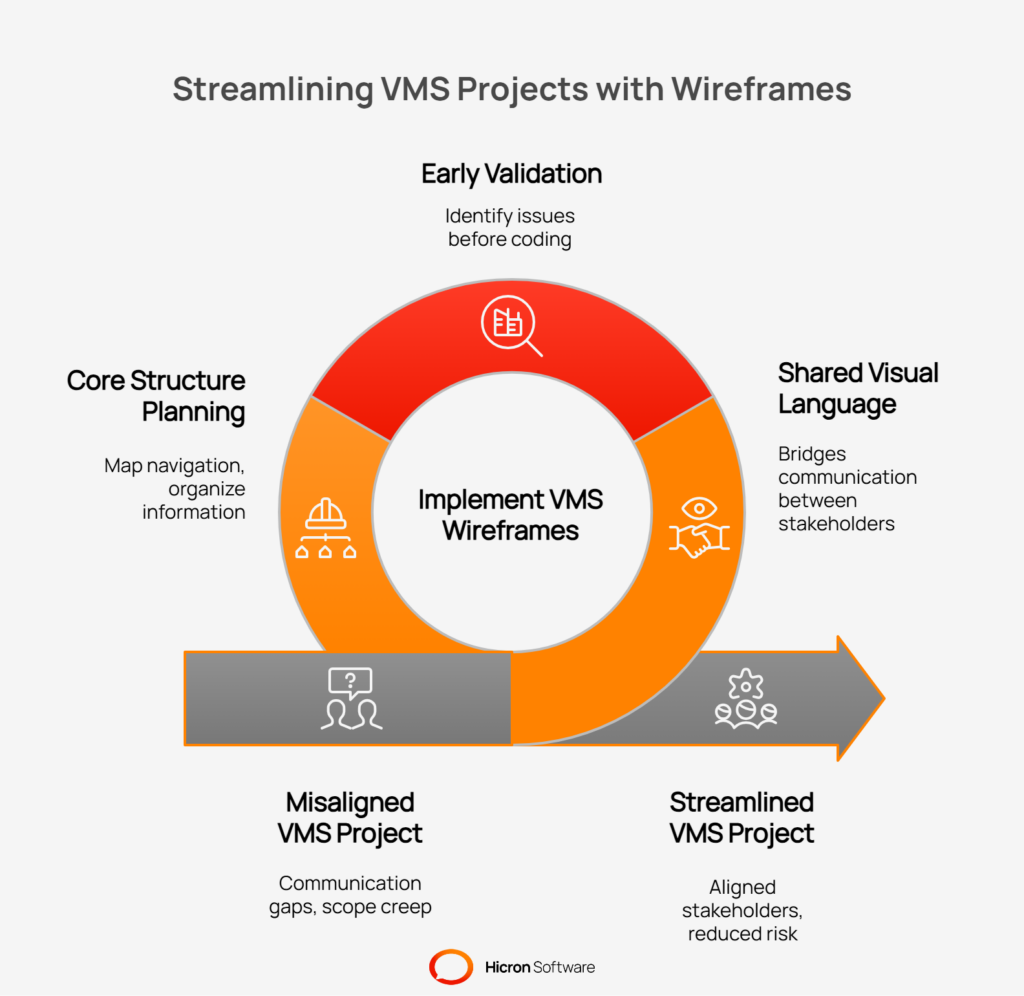
This is where wireframes come in. By creating simple, visual blueprints of the system, you can accelerate planning, reduce development rework, and align business, IT, and supplier stakeholders on the scope, user flows, and overall experience before the build phase begins.
This article explores how using wireframes accelerates project planning, reduces costly rework, and aligns everyone on the system’s scope, workflows, and user experience. By validating requirements visually and early, teams can build a more effective and user-friendly platform from day one, ensuring the final product meets business needs and user expectations.
What exactly are wireframes? A wireframe is a visual guide representing the skeletal framework of a software interface. It is like an architectural blueprint. It shows the page layout, content arrangement, and interface elements but strips away visual design features like colors, fonts, and images. The focus is purely on structure and function.
There are generally three levels of fidelity:
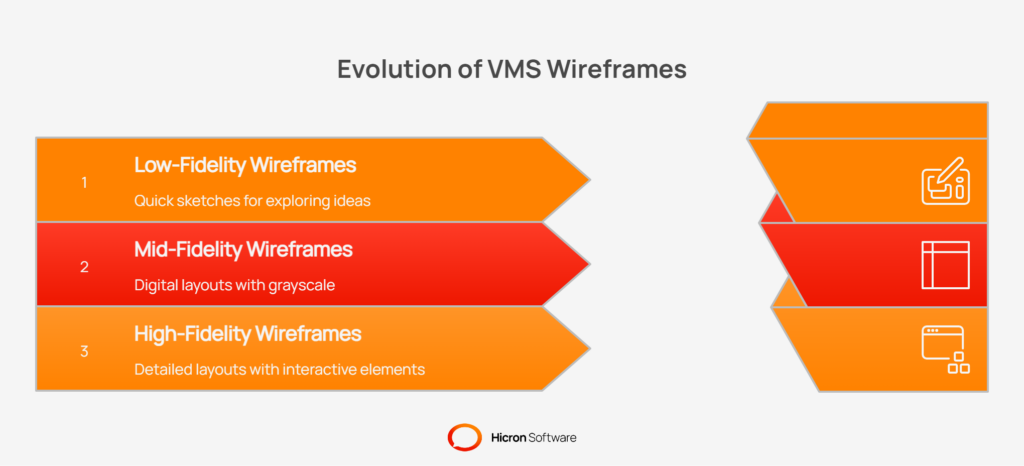
Wireframes are distinct from prototypes, which are interactive and clickable simulations of the final product, and visual designs, which focus on the aesthetic look and feel.
Wireframes are particularly well-suited for VMS projects because these systems are heavy on forms, data tables, and role-specific views. You do not need to choose a color scheme to determine if a supplier onboarding form contains all the necessary fields. You need a structure that can handle a high density of information, and wireframes force you to solve these structural puzzles first.
The core value of incorporating wireframes into vendor management system design is risk reduction.
When a requirements document states, “The supplier must acknowledge purchase orders,” different stakeholders can have very different mental images. A developer might picture a simple button. A procurement manager might envision a way to edit line items. A supplier might hope for a feature to upload acknowledgments in bulk.
Wireframes establish a common visual language across business teams, IT, and external suppliers. By presenting a visual representation, these differing assumptions are brought to light for discussion and resolution.
It is exponentially less expensive to move a box on a wireframe than it is to refactor a database and user interface due to a missed requirement. Wireframes allow you to validate functionality early in the process. You can spot a missing field in a quality incident form or realize that a particular user role lacks access to the data needed to perform a task.
VMS interfaces are often dense with information. You might have lists containing thousands of purchase orders, detailed audit scorecards, and numerous compliance documents. Following wireframing best practices, you can plan how to manage this density through features like pagination, filtering, and sorting before writing any code. If you wait until the development stage, you may discover that your layout is unusable when populated with real data.
While it is beneficial to map out the entire system, certain areas of a VMS offer the highest return on investment for meticulous wireframing.
This workflow is often the first interaction a vendor has with your system. A confusing process can hinder adoption. Wireframes should map out each step, from entering basic company information to uploading financial data and certifications. It is also important to wireframe the internal approval view to show what a compliance officer sees when they need to validate these documents.
This is a core function of the VMS. You need to visualize the purchase order (PO) list view and the detailed view. How does a supplier acknowledge an individual line item? How do they request a change to a delivery date? These interactions can be complex. A wireframe can help determine if a feature like splitting a line item is intuitive or buried too deep within the interface.
Key elements include:
Corrective and Preventive Action (CAPA) workflows are notoriously difficult to design. They include complaint intake forms, root cause analysis steps like “5 Whys,” and effectiveness checks. These processes often branch based on certain logic (e.g., if a risk is rated “Critical,” an additional approval step is required). Wireframing these flows helps ensure the logic is sound and easy to follow.
Auditors require checklists, scoring mechanisms, and a way to log findings. Wireframes help figure out how an auditor can best navigate a lengthy assessment on different devices, like a tablet versus a desktop. Re-audit scheduling workflows should also be visualized to make certain no follow-up actions are missed.
Key elements include:
Stakeholders often ask for dashboards that show “everything.” Wireframes force prioritization. You can design role-based Key Performance Indicators (KPIs), showing a buyer metrics like “On-Time Delivery” while a supplier sees “Pending Invoices.” This is also where you can define interactions for saved views, drill-down capabilities, and global filters.
|
Key Area |
Description |
Key Elements to Wireframe |
|
Supplier Onboarding |
The initial workflow for new vendors joining the system. A confusing process can hinder adoption and delay procurement cycles. |
• Multi-step forms for company, financial, and compliance data. |
|
Orders & Acknowledgements |
The core transactional function of a VMS where purchase orders are managed between buyer and supplier. |
• PO list views with robust filtering and search. |
|
Quality & CAPA |
Workflows for managing Corrective and Preventive Actions, from initial complaint to resolution and effectiveness checks. |
• Complaint intake forms. |
|
Audits & Assessments |
The process for conducting supplier audits, from scheduling and execution to logging findings and tracking remediation. |
• Digital audit checklists with various question types. |
|
Dashboards & Reports |
Visual summaries of key data tailored to different user roles, providing at-a-glance insights into performance and status. |
• Role-based Key Performance Indicators (KPIs). |
A VMS without a solid Information Architecture (IA) can feel like a maze. Users will become frustrated and abandon the system if they cannot find what they need quickly. A good VMS UX depends on predictable and logical navigation.
Wireframes are the ideal tool for testing your menu groupings. Does it make more sense to place “Certifications” under “Documents” or “Supplier Profile”? You can test these layouts with users before committing to a final structure.
For deep navigational hierarchies (e.g., Supplier > Site > Audit > Finding), breadcrumbs are essential for providing context. Wireframes ensure that space is allocated for these navigational aids on every relevant screen. The placement and functionality of a global search bar, including what content it indexes, should also be defined at this stage.
Use wireframes to establish consistent patterns across the system. If a table in the “Orders” module uses a specific layout for filtering, the “Quality” module should use the same pattern. This consistency reduces the learning curve for users and streamlines development efforts.
Role-Based Access Control (RBAC) is the foundation of security in a Vendor Management System. However, RBAC is not just a backend setting; it directly impacts the user’s frontend experience.
Role-based interfaces need to be designed with purpose. You may need to create three different versions of the same wireframe:
Wireframes let you define these views based on division, plant, or product line. You can visually show which buttons are hidden, disabled, or active for each user type. This clarity helps prevent common errors, such as a supplier viewing internal comments or sensitive financial data.
This process also visually clarifies complex approval workflows and Segregation of Duties (SoD) paths, ensuring that the person who submits a request cannot be the one to approve it, baking compliance directly into the interface design.
Static screens are only part of the story; how they interact is just as important. Workflow design focuses on the transitional states that can frustrate users if not handled properly.
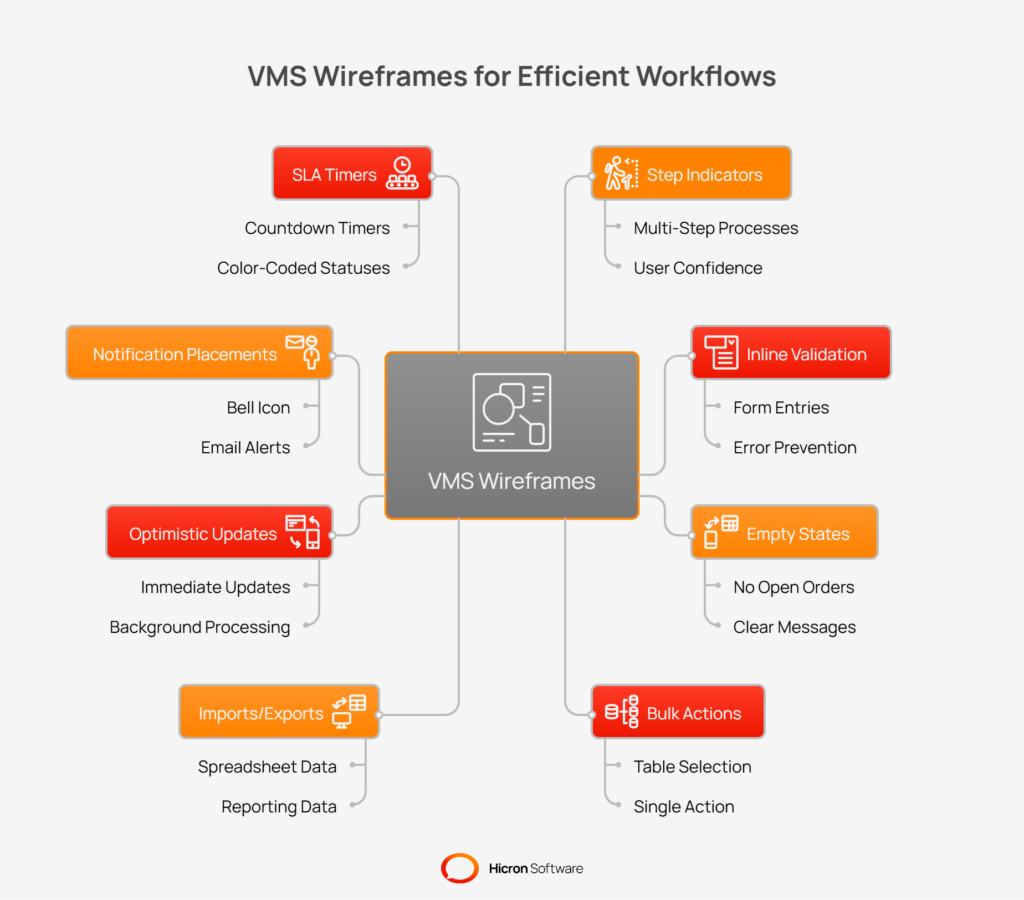
Do not just wireframe the “happy path” where everything works correctly. Wireframe the error states. What happens when a supplier uploads an incorrect file type? What does the inline validation look like when a required field is left empty? Defining these empty states and error messages early prevents developers from having to guess, leading to a better user experience.
In a VMS, users often perform actions on multiple items at once. They might acknowledge 50 orders or download 20 certificates. Wireframes should detail how these bulk actions work. Does a selection bar appear? Is there a “Select All” option? How does the system indicate that an action is processing in the background?
Where do notifications appear? Is there a bell icon? Do urgent alerts about Service Level Agreement (SLA) breaches appear as pop-up windows or in a list? Visualizing these cues ensures they capture the user’s attention without being disruptive.
The biggest mistake is creating wireframes in isolation. They are communication tools.
You must conduct reviews with business users and, when possible, actual suppliers. Show them a wireframe of the order acknowledgement process and ask, “Does this match how you work?” You might discover that suppliers prefer to import data from a spreadsheet, making an “Import from Excel” button a higher priority than a new card view.
A box on a screen is open to interpretation. Annotate your wireframes with details.
These notes become a source of truth for developers and help track open questions.
Once validated, wireframes serve as the bridge to the development phase.
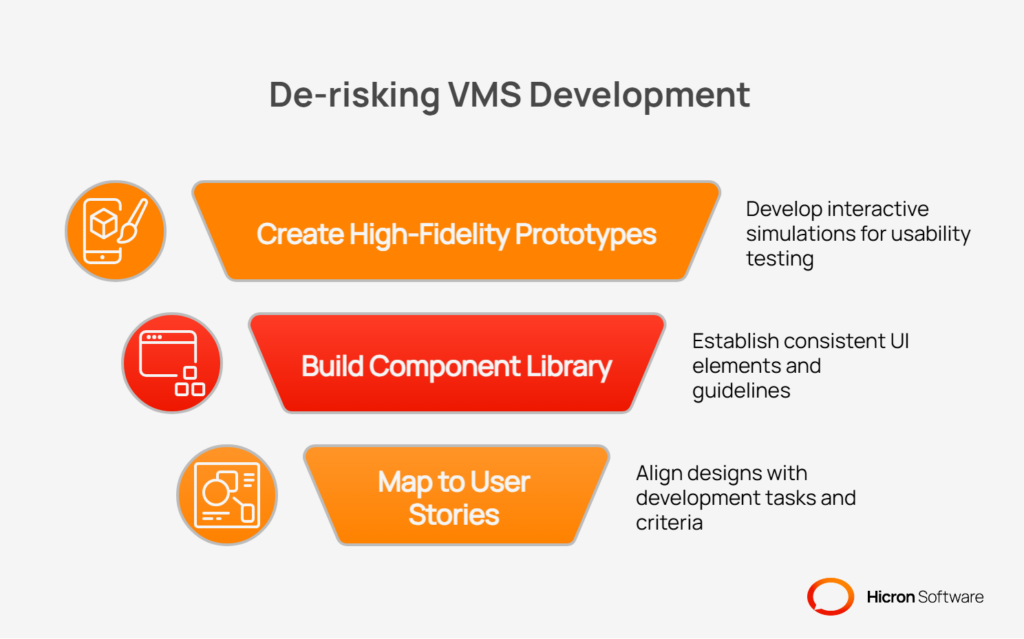
At this point, you can convert mid-fidelity wireframes into clickable prototypes. This allows stakeholders to click through a workflow, providing a powerful method for usability testing. It is much easier to fix a broken link in a prototype than to rewrite code in the final product.
From your wireframes, you can identify reusable components like data tables, date pickers, and search bars. This informs the creation of a component library or design system, which helps maintain consistency and accelerates the build process.
Finally, map your wireframes to your agile user stories. Each development ticket should reference a specific wireframe. A story like, “As a Supplier, I want to upload a certificate,” should link to the wireframe showing the upload modal.
Modern wireframing tools are built for collaboration. When selecting a tool, prioritize:
Standardize your templates for common VMS patterns like tables, forms, and dashboards to speed up the process.
This library should include pre-built templates for:
Also, consider accessibility and localization from the beginning. Your layout should support longer text strings for different languages and a logical tab order for keyboard navigation.
How do you know if your wireframing efforts were worthwhile? You can measure the impact.
Here are some key KPIs to track the impact of your VMS wireframing process:
| KPI | Description |
| Fewer UX change requests | Measure the number of user experience or design-related change requests submitted after development has started. A low number indicates the wireframes successfully aligned stakeholder expectations early. |
| Reduced rework hours | Track the development hours spent on rework or fixing features that didn’t meet user needs. Effective wireframing catches design flaws before they are coded, saving significant time and budget. |
| Faster stakeholder sign-off | Monitor the time it takes to get formal approval on designs from business stakeholders. Clear, validated wireframes lead to quicker decisions and fewer delays, accelerating the project timeline. |
| Shorter time-to-first module | Measure the time from project kickoff to the delivery of the first functional and usable module. A smooth handoff from wireframes to development gets the product into users’ hands faster. |
| Improved usability metrics | During the first round of usability testing, evaluate task success rates, time-on-task, and user satisfaction scores. High scores suggest the wireframe-driven design is intuitive and effective. |
Wireframing is not without its pitfalls.
To implement this approach, follow a repeatable process:
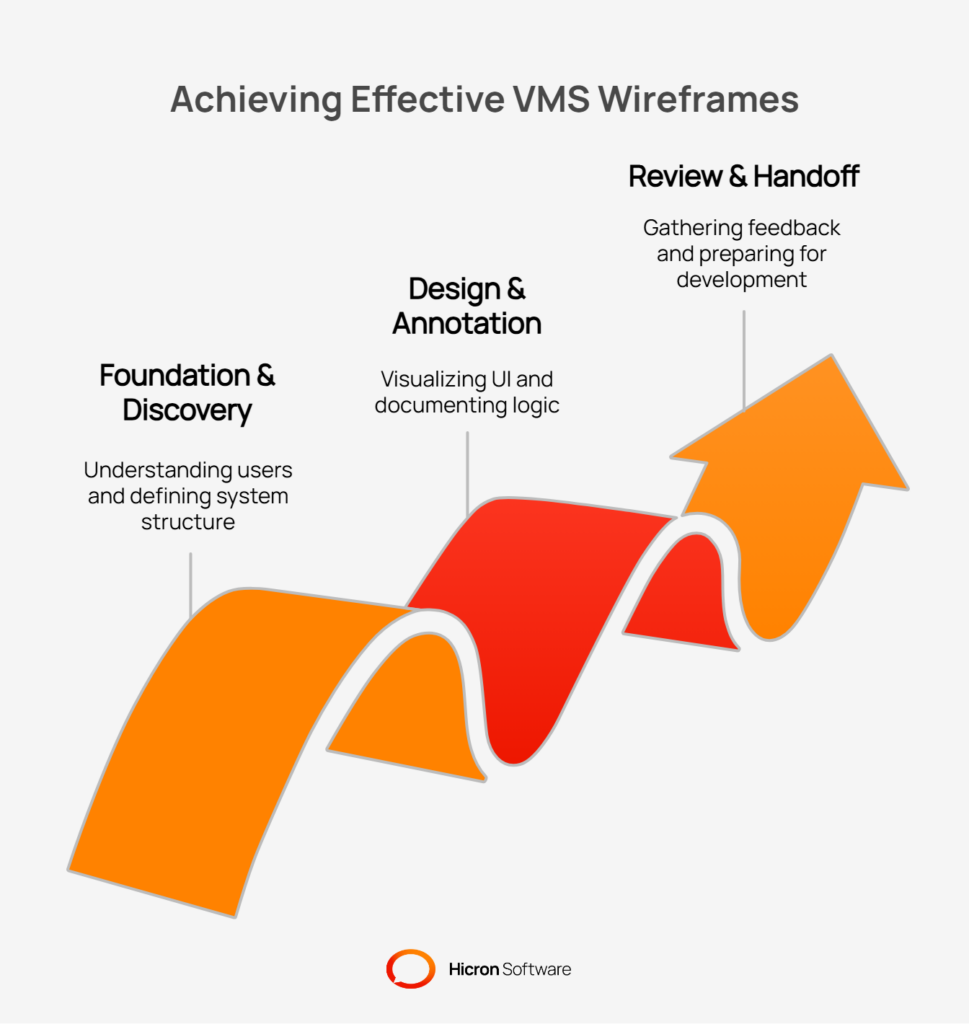
In the world of Vendor Management System development, ambiguity is a project’s worst enemy. Wireframes are the best tool for eliminating it. They clarify scope, improve the VMS UX, and reduce the risk of building the wrong product. By investing time in wireframing best practices, you ensure your development team builds a system that is functional, intuitive, and aligned with your business goals.
Ready to improve your VMS project? Start small. Pick your top three most complex flows, such as supplier onboarding, order management, and complaints, and dedicate a one-week sprint to wireframing them. Contact us to assist you in the process. The clarity you gain will be well worth the effort.

The main purpose is to establish the basic structure, functionality, and user flow of a Vendor Management System before any visual design or coding begins. It acts as a blueprint to align all stakeholders and validate requirements early.
Wireframes are static, low-fidelity layouts focusing on structure and content placement. Prototypes are interactive, high-fidelity models that simulate user interaction and allow for usability testing before development.
Key stakeholders should be involved, including business users (like procurement and quality managers), IT team members, developers, and, if possible, a representative group of end-users, such as suppliers.
Yes. By designing role-based views and visually mapping out approval workflows, wireframes help ensure that access controls and segregation of duties (SoD) are built into the system’s design from the beginning.
The best tools are cloud-based platforms that support easy sharing, commenting, and version control. Popular options include Figma, Sketch, Adobe XD, and Balsamiq. The key is to choose a tool that facilitates collaboration across your team.
Wireframing should begin early in the design and planning phase, right after the initial requirements have been gathered. This allows you to visualize and refine the system’s structure before committing to a specific design or writing any code.
Hicron Software proved to be a trusted partner with unmatched technical expertise, delivering a scalable and user-friendly web application that was pivotal to our successful U.S. market expansion.

Hicron’s contributions have been vital in making our product ready for commercialization. Their commitment to excellence, innovative solutions, and flexible approach were key factors in our successful collaboration.
I wholeheartedly recommend Hicron to any organization seeking a strategic long-term partnership, reliable and skilled partner for their technological needs.

After carefully evaluating suppliers, we decided to try a new approach and start working with a near-shore software house. Cooperation with Hicron Software House was something different, and it turned out to be a great success that brought added value to our company.
With HICRON’s creative ideas and fresh perspective, we reached a new level of our core platform and achieved our business goals.
Many thanks for what you did so far; we are looking forward to more in future!

Hicron is a partner who has provided excellent software development services. Their talented software engineers have a strong focus on collaboration and quality. They have helped us in achieving our goals across our cloud platforms at a good pace, without compromising on the quality of our services. Our partnership is professional and solution-focused!

The IT system supporting the work of retail outlets is the foundation of our business. The ability to optimize and adapt it to the needs of all entities in the PSA Group is of strategic importance and we consider it a step into the future. This project is a huge challenge: not only for us in terms of organization, but also for our partners – including Hicron – in terms of adapting the system to the needs and business models of PSA. Cooperation with Hicron consultants, taking into account their competences in the field of programming and processes specific to the automotive sector, gave us many reasons to be satisfied.

