A Technical Guide to Organic MLS & IDX Integration Methods
- June 19
- 6 min

The RESO Web API is a RESTful, OData V4-based protocol for real estate data exchange. It delivers property data over HTTPS in JSON format. This article explains how it works at the implementation level, covering protocol mechanics, OData queries, authentication, MLS use cases, and best practices for development teams. It’s a technical follow-up to the Hicron Software blog post on RESO Standards. If you need a foundation in what RESO Standards are and why they matter, you should start there first.
$metadata endpoint first is the correct starting point for any integration.The RESO Web API replaced RETS as the industry standard for real estate data exchange because RETS had fundamental architectural limitations. RETS was built around bulk XML downloads and basic credential-based authentication. It required heavy local storage and created ongoing lag between source updates and data availability. As MLS organizations grew in scale and data complexity, those limitations became increasingly costly to manage.
The Real Estate Standards Organization (RESO) introduced the Web API to address these limitations directly. The protocol standardizes how systems request, filter, and receive property data across MLS organizations. Rather than downloading large batches of XML and processing them locally, development teams can now query live data using structured OData parameters over HTTPS. The result is a more efficient, maintainable, and interoperable integration model.
For development teams migrating from RETS or building new integrations from scratch, understanding how the RESO Web API works at the protocol level is the most practical starting point. So let’s learn more about OData integration, endpoint structure, pagination, replication, authentication, and the implementation challenges teams face in real-world projects.
The RESO Web API is a RESTful data transport standard built for real estate data exchange. It delivers property data over HTTPS in JSON format, using OData V4 as its query and metadata layer. RESO maintains and certifies the standard across MLS organizations. The governing document is the RESO Web API Core 2.0.0 Specification, published by the RESO Transport Workgroup. Certification confirms that an MLS provider’s implementation meets core specification requirements. For development teams, this sets a baseline for expected API behavior.
That baseline, however, does not guarantee uniform behavior across providers. Field availability, pagination defaults, and rate limiting rules are common areas where implementations diverge. Teams working across multiple MLS systems need to account for this variability from the start.
Core 2.1.0 is currently in development. Some providers have already begun adjusting endpoint behavior, particularly around how the $top parameter is handled. Reviewing provider-specific changelogs before assuming consistent behavior across RESO-certified systems is a practical step before beginning any integration work.
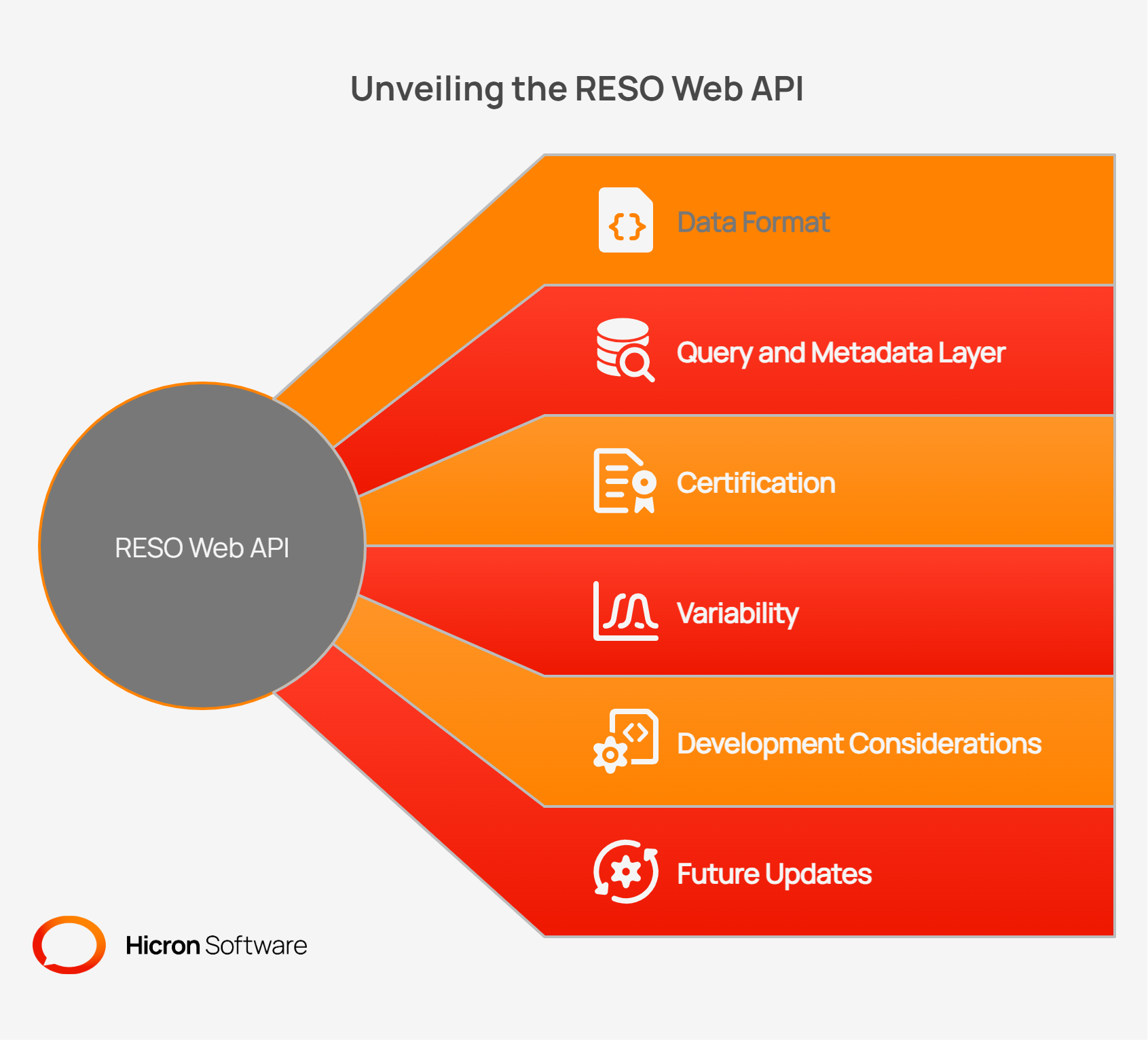
OData (Open Data Protocol) is a standardized protocol for building and consuming RESTful APIs. RESO selected OData V4 as the foundation for the RESO Web API due to its broad tooling support, cross-platform interoperability, and availability of client libraries across multiple languages.
OData controls more than how data is requested. It also defines how clients discover what data is available. This distinction has practical implications. Before writing any queries, a developer uses OData’s metadata endpoint to understand the full data structure exposed by a given provider. This positions OData as central to the integration process from the very first step.
The key OData concepts that appear throughout this article are:
$filter: Filters result sets by field values$expand: Includes related resources in a single request$metadata: Returns the full schema of available fields and types@odata.nextLink: Provides the URL for the next page in a paginated result set$select: Limits the fields returned in a response$top: Sets the maximum number of records per response$skip: Offsets the result set for pagination$orderby: Sorts results by a specified fieldUnderstanding these parameters is the foundation of any RESO Web API integration.
The RESO Web API exposes real estate data through standardized resource endpoints. Each resource represents a specific entity type, such as a property listing, a real estate agent, or a listing photo. Requests follow a consistent URL structure and return JSON responses. Metadata is the exception, as it returns in XML format. The sections below cover each protocol component in detail, starting with available resources and working through metadata, querying, pagination, and replication.
The RESO Web API exposes the following core resources:
Endpoints follow a consistent structure. A typical endpoint for property data looks like this:
GET /Reso/OData/Property A basic request with an Authorization header would be structured as follows:
GET /Reso/OData/Property HTTP/1.1
Host: api.example-mls.com
Authorization: Bearer {access_token}
Accept: application/json
The exact base URL varies by provider, but the resource path structure follows the specification.
The $metadata endpoint returns the full Entity Data Model (EDM) for a given provider. This includes all available fields, their data types, and enumerated lookup values. It is the authoritative source for understanding what data a specific MLS provider exposes.
GET /Reso/OData/$metadataMetadata is returned in XML format. All other API responses use JSON. The metadata document defines standard fields from the RESO Data Dictionary, along with any provider-specific extensions. Custom fields typically follow a naming convention that distinguishes them from standard fields. This convention varies across providers.
Reading $metadata before writing queries reduces errors. It prevents issues caused by referencing fields that do not exist or have unexpected data types.
The RESO Web API supports the following OData query parameters for filtering and shaping responses:
| Parameter | Purpose |
$filter |
Filters records by field conditions |
$select |
Returns only specified fields |
$expand |
Includes related resource records |
$top |
Limits the number of records returned |
$skip |
Skips several records for offset pagination |
$orderby |
Sorts results by one or more fields |
A basic filtered query requesting active listings looks like this:
GET /Reso/OData/Property?$filter=StandardStatus eq 'ActiveTo include related media records in the same request, use $expand:
GET /Reso/OData/Property?$filter=StandardStatus eq 'Active'&$expand=MediaThe $expand parameter is particularly valuable for listing photo pipelines. Without it, a developer would need one request per property to fetch associated media records. This pattern is known as an N+1 request problem. Using $expand retrieves the property record with its related media in a single request.
The same approach works for open houses:
GET /Reso/OData/Property?$expand=OpenHouseCustom fields added by individual MLS providers use encoded field names. Cross-referencing these names in the $metadata document reveals their human-readable equivalents and data types.
Pagination in the RESO Web API uses $top and $skip for offset-based navigation. For larger data sets, the API returns an @odata.nextLink property in the response. This contains the URL to retrieve the next page of results.
{
 "@odata.nextLink": "https://api.example-mls.com/Reso/OData/Property?$skip=200",
 "value": [...]
}
Following @odata.nextLink until it no longer appears in the response is the correct approach for full data pulls.
The behavior of $top varies across providers. Some enforce a maximum page size regardless of the requested value. Others apply default limits when $top is omitted. As Core 2.1.0 adoption increases, some providers are adjusting their $top handling. Always check provider documentation before assuming a specific page size behavior.
Replication with the RESO Web API follows a two-phase model. The first phase is an initial full pull of all available records. The second phase uses ModificationTimestamp to fetch only records that have changed since the last sync.
An incremental update request looks like this:
GET /Reso/OData/Property?$filter=ModificationTimestamp gt 2024-01-15T00:00:00Z&$orderby=ModificationTimestamp ascSpark Platform’s RESO replication documentation provides a worked example of how one provider structures this process. This is one provider’s implementation. Replication patterns, field availability, and sync limits vary by MLS provider even among RESO-certified systems. Field names, available resources, and pagination defaults will differ.
Teams building replication pipelines should plan for provider-level variation from the start, rather than assuming that behavior tested against one MLS will transfer directly to another.
Securing API access is a core part of any RESO Web API integration. The protocol requires OAuth 2.0 for authentication and HTTPS for all data transport. These requirements apply consistently across RESO-certified providers. Token management, scope configuration, and rate limiting vary by provider. Understanding how the authentication flow works is essential before building any production integration. This is especially true for long-running jobs, where token expiry and re-authentication can cause failures.
The RESO Web API uses OAuth 2.0 as its authentication and authorization standard. OAuth 2.0 provides secure, delegated access without exposing long-lived credentials directly. It is the same framework used across major technology platforms, which means development teams can use familiar libraries and tooling.
The general flow for obtaining access is:
Authorization: Bearer {access_token}The authorization scope granted at token issuance determines the level of data access the client receives. Providers may issue tokens with read-only access, limited resource access, or full access depending on the license agreement and terms of use.
All API requests require HTTPS (TLS). Providers do not support unencrypted connections. This is a consistent requirement across RESO-certified systems.
Legacy RETS authentication relied on basic username and password combinations, sometimes with simple bearer tokens. These were often long-lived and difficult to revoke. OAuth 2.0 improves on this model by offering token expiration, scope restrictions, and access revocation without rotating credentials.
Token management requires attention in long-running replication jobs. Access tokens expire. Systems should implement refresh token logic or automated re-authentication to maintain uninterrupted data access. Rate limiting and throttling rules vary by provider and are often applied per token. Teams building replication workflows should plan for throttle responses and implement retry logic with appropriate backoff strategies. This connects directly to the implementation challenges covered in the next section.
RETS is deprecated. RESO no longer updates its specifications, and many MLS providers have already shut down their RETS endpoints. The comparison below focuses on technical implications for development teams, not the business case for migration.
| Dimension | RESO Web API | RETS |
| Data format | JSON over HTTPS | XML over HTTP |
| Query model | Live OData queries with filtering, expansion, and field selection | Batch downloads of full data sets |
| Authentication | OAuth 2.0 with token scoping and expiration | Basic username/password or simple token |
| Real-time access | Supported via direct endpoint queries | Not supported; periodic batch pulls only |
| Developer experience | Standard REST tooling, OData client libraries, JSON parsing | Custom RETS client libraries required |
| Metadata discovery | OData $metadata endpoint returns full schema |
Multi-call metadata (Resource, Class, Table, Lookup); field names and classes vary by provider |
| Support status | Actively maintained and extended | Deprecated, no further updates |
The core architectural difference is the shift from batch XML downloads to live JSON queries. RETS required teams to download large data sets locally, then parse and store them. The RESO Web API allows systems to request exactly the data they need, when they need it.
MLS data serves a wide range of applications, from consumer property searches to backend analytics platforms. Each use case places different demands on how data is queried, stored, and refreshed. The following examples outline how organizations apply MLS integration in practice:
IDX (Internet Data Exchange) search platforms query active listings directly from MLS providers. The RESO Web API supports live queries against the Property resource, filtering by status, location, price range, and other criteria. Consumer-facing portals benefit from this because they can request fresh listing data on demand rather than relying on a cached local data set.
Teams building automated valuation models or market analytics platforms typically require a complete local copy of MLS data. The RESO Web API replication model supports this through initial full pulls followed by incremental updates via ModificationTimestamp. Keeping a local data set current requires consistent polling and reliable token management.
The OpenHouse resource exposes scheduled open house events linked to property records. Spark Platform’s OpenHouse documentation provides an example of how one provider implements this resource. Teams building agent tools or consumer apps can sync open house schedules using the same OData filtering patterns applied to property data.
The Member and Office resources expose agent and broker contact data. CRM platforms and agent-matching tools use these resources to keep directory information current. The same incremental update pattern used for property replication applies here.
The Media resource provides structured access to listing photos and associated metadata. Using $expand=Media on a Property request retrieves both the listing record and its associated photos in a single call. For high-volume photo pipelines, this approach reduces total API requests and simplifies pipeline logic.
Several challenges appear consistently across RESO Web API integrations. Understanding these early reduces delays and prevents rework later in the development cycle:
$metadata but are not part of the RESO Data Dictionary. Custom field names often use vendor-specific prefixes. Teams need a field mapping process that accounts for these extensions.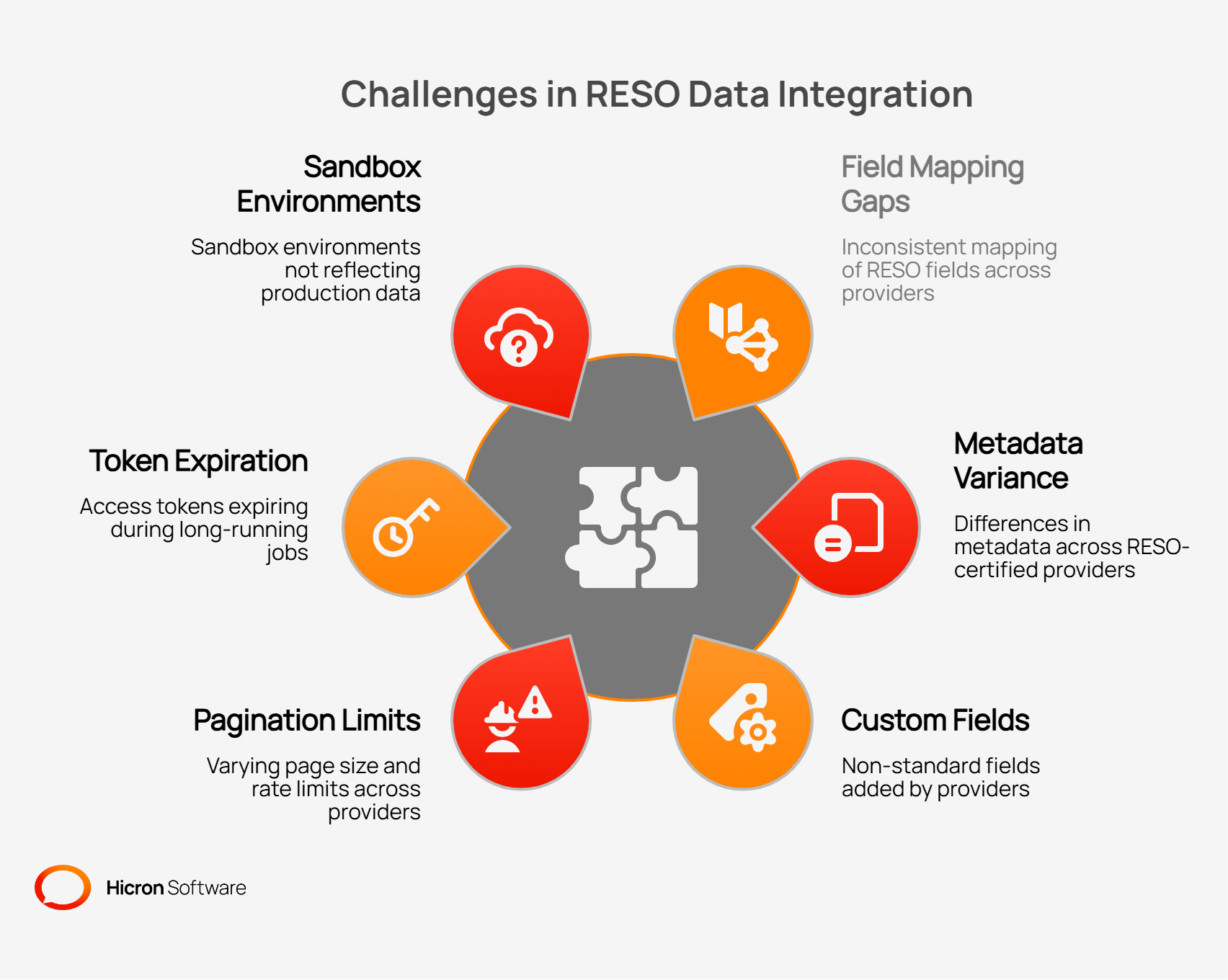
Teams working with RESO Web API connections often encounter the same failure points: undocumented field changes, inconsistent pagination, and authentication timeouts. Following a structured set of guidelines reduces the risk of these issues appearing in production environments. The practices below apply across provider types and integration architectures, drawing from real integration challenges observed across MLS providers, PropTech platforms, and brokerage systems:
$metadata first. Every integration starts with a request to the provider’s $metadata endpoint. This reveals available fields, data types, and enumerated lookups before any other queries are written.$select to limit payload size. Requesting only the fields required for a specific use case reduces response size and processing time. Avoid requesting all fields when only a subset is needed.$expand deliberately. Expand related resources within a single request when those resources are consistently needed together. Reserve $expand for cases where it reduces total request volume, not as a default behavior for every query.$top handling and other endpoint behaviors. Subscribing to provider update communications prevents unexpected behavior from breaking live integrations.The RESO Web API gives development teams a structured, well-documented protocol for building reliable real estate data integrations. The implementation details covered here, from OData query construction to replication workflows and OAuth token management, represent the practical knowledge needed to move from specification to production. Hicron Software works with PropTech teams and real estate software companies on MLS integrations, RETS migration projects, and data pipeline architecture. If you or your team is evaluating a move to the RESO Web API or is encountering specific integration challenges, contact Hicron to discuss the project requirements.

Hicron Software proved to be a trusted partner with unmatched technical expertise, delivering a scalable and user-friendly web application that was pivotal to our successful U.S. market expansion.

Hicron’s contributions have been vital in making our product ready for commercialization. Their commitment to excellence, innovative solutions, and flexible approach were key factors in our successful collaboration.
I wholeheartedly recommend Hicron to any organization seeking a strategic long-term partnership, reliable and skilled partner for their technological needs.

After carefully evaluating suppliers, we decided to try a new approach and start working with a near-shore software house. Cooperation with Hicron Software House was something different, and it turned out to be a great success that brought added value to our company.
With HICRON’s creative ideas and fresh perspective, we reached a new level of our core platform and achieved our business goals.
Many thanks for what you did so far; we are looking forward to more in future!

Hicron is a partner who has provided excellent software development services. Their talented software engineers have a strong focus on collaboration and quality. They have helped us in achieving our goals across our cloud platforms at a good pace, without compromising on the quality of our services. Our partnership is professional and solution-focused!

The IT system supporting the work of retail outlets is the foundation of our business. The ability to optimize and adapt it to the needs of all entities in the PSA Group is of strategic importance and we consider it a step into the future. This project is a huge challenge: not only for us in terms of organization, but also for our partners – including Hicron – in terms of adapting the system to the needs and business models of PSA. Cooperation with Hicron consultants, taking into account their competences in the field of programming and processes specific to the automotive sector, gave us many reasons to be satisfied.