10 Real Estate Software Development Companies in 2026
- February 03
- 9 min

A property lead app is a specialized software application that connects real estate professionals with potential buyers or renters by using a Data API to fetch, display, and manage real estate listings efficiently.
Many real estate businesses rely on good leads to grow. Old tools can make this hard by missing important contacts and sharing outdated property data. This guide gives readers practical steps to build a simple, reliable real estate app for collecting leads. It is made for developers, startups, and agents who want a faster way to match users with available properties by using up-to-date data.
Key Takeaways:
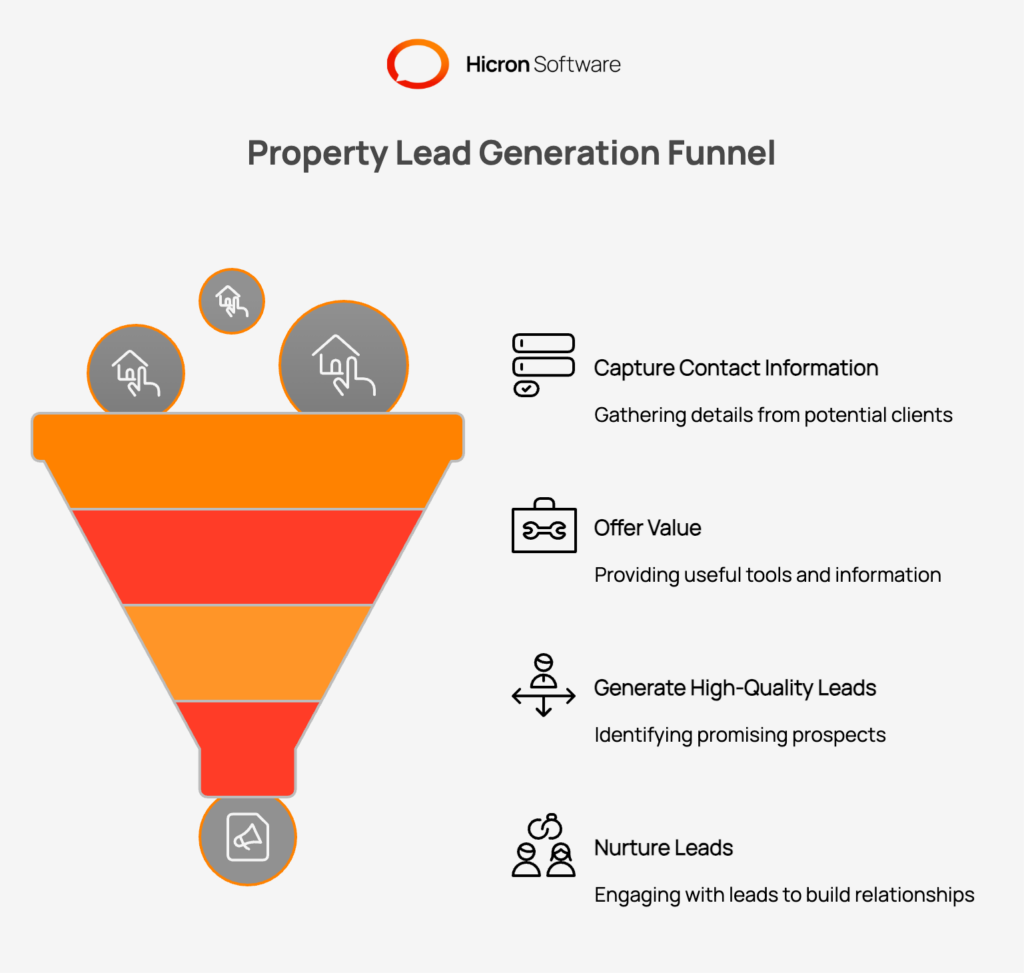
A property lead app is a digital tool designed to capture contact information from potential home buyers or renters. It typically offers value to the user, such as searchable home listings, market trends, or mortgage calculators in exchange for their details. The primary goal is to generate high-quality leads that real estate agents can nurture into sales. Key features often include an intuitive property search, detailed listing pages, and a backend system for managing contact inquiries.
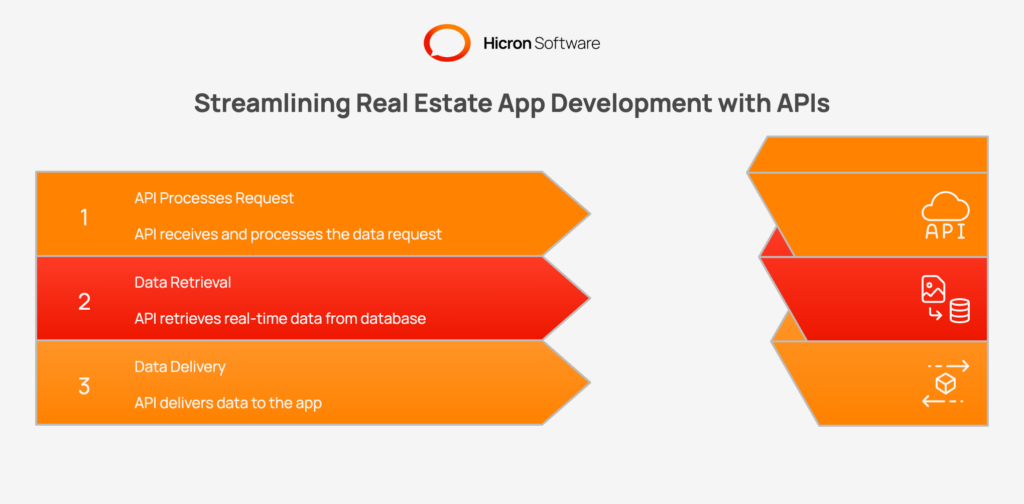
An Application Programming Interface (API) allows two different software programs to communicate. In this context, a Data API acts as a bridge between your app and a massive database of real estate information. Instead of manually entering thousands of home listings, your app requests this data from the API. The API responds with real-time information on prices, availability, and property details. This approach ensures your app scales easily without needing a massive internal team to manage data.
To build your property lead app, you need the following:
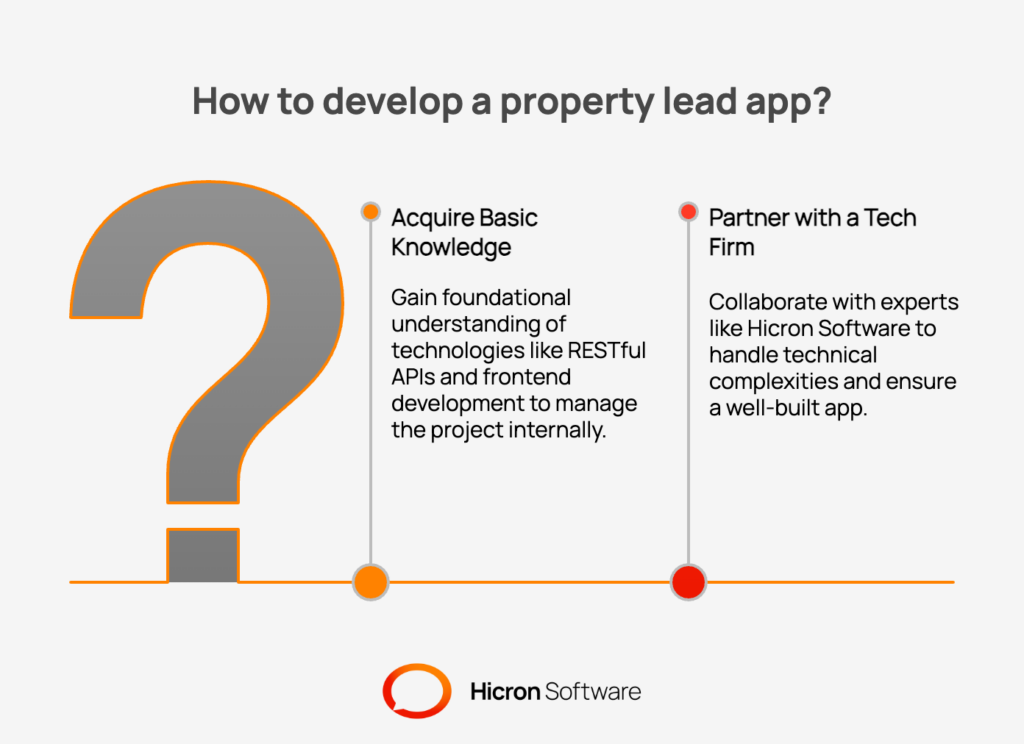
To successfully create a property lead app, you need either a foundational understanding of key technologies or a reliable tech partner. You should have a basic understanding of how RESTful APIs work. Knowing how to send GET and POST requests and how to handle JSON responses is essential. Basic experience with frontend development (HTML/CSS) is also necessary to build the user interface.
Additionally, knowledge of database management helps ensure that you can store and retrieve lead information securely. If these technical areas are outside your expertise, collaborating with a skilled developer or a technology firm, like Hicron Software, can provide the necessary support to navigate the complexities of app development and bring your vision to life. This partnership allows you to focus on the business logic while they handle the technical implementation, ensuring a well-built final product.
Building a property lead app may seem like a daunting task, but with the right approach, it can be a straightforward and rewarding process. Here’s how to get started on building your property lead app.
|
Step |
Description |
Key Actions |
|
Step 1: Setting Up Your Development Environment |
Prepare the technical workspace by installing necessary runtime environments and libraries. |
• Install Node.js or Python |
|
Step 2: Choosing and Integrating a Data API |
Select a property data provider and establish a successful connection to fetch real estate information. |
• Review documentation for easy-to-read endpoints |
|
Step 3: Designing the App Interface |
Design a clean, intuitive user interface that prioritizes property discovery and usability. |
• Place search bar prominently |
|
Step 4: Implementing Core Features |
Build the backend logic that powers search functionality and lead data collection. |
• Connect search bar to API for dynamic results |
|
Step 5: Testing and Debugging |
Rigorously test the application to ensure data accuracy and handle potential errors. |
• Verify search results and database entries |
|
Step 6: Deploying the App |
Launch the final application to a live server for public access. |
• Choose a hosting provider (Vercel, Netlify, Heroku) |
1. Setting Up Your Development Environment
Set up your tools. Install Node.js or Python, then create a new project folder. If you use React, start with the basic setup tool. Install any libraries you will need, like Axios for making requests or a router for page navigation.
2. Choosing the Right Data API for Your App
Pick an API that offers clear instructions and the type of property data you need. After you register and get your API key, test it by writing a simple script that requests property listings. See if you get usable results before you move forward.
3. Designing a User-Friendly App Interface
Make your app clear and easy to use. Add a search box for places or zip codes. Show property listings as cards in a grid with main details (photo, price, and address). Filters for price or bedrooms help visitors narrow their search. You can plan your layout using tools like Figma.
4. Implementing Core Features for Lead Generation
5. Testing and Debugging Your App
Check each feature. Make sure property searches and forms work well. If you see errors or reach API request limits, add error messages or save recent results to avoid overloading the API. Always test forms by entering both correct and incorrect data.
6. Deploying Your Property Lead App
When you are ready to go live, use hosting platforms like Vercel, Netlify, or Heroku. Link your code to their platform for easy updates. Buy a simple domain name so users can find and trust your app.
Building the app is just the start. To succeed, you must maintain high standards.
Choosing the right tools is essential for building and hosting a successful property lead app. From development frameworks to hosting platforms, the tools you select can significantly impact your app’s performance, scalability, and user experience. To help you get started, here’s a list of recommended tools that can streamline the development process and ensure your app runs smoothly.
|
Subcategory |
Recommended Tools |
Description |
|
Programming Frameworks |
React.js, Node.js, Flutter, Django |
Ideal for building dynamic UIs, backend services, and cross-platform mobile apps. |
|
Code Editors |
Visual Studio Code (VS Code), Sublime Text |
Lightweight, versatile editors with extensive plugin support. |
|
API Testing Tools |
Postman, Swagger |
Simplify API testing, integration, and documentation. |
|
Database Solutions |
Firebase, MongoDB |
Real-time and NoSQL databases for scalable data management. |
|
Design Tools |
Figma, Adobe XD |
Essential for creating app mockups and UI/UX designs. |
|
Subcategory |
Recommended Tools |
Description |
|
Frontend Hosting |
Vercel, Netlify |
Optimized for static sites and frameworks like React/Next.js with easy deployment. |
|
Backend Hosting |
Heroku, AWS, Google Cloud Platform (GCP) |
Scalable solutions for hosting backend services and managing server infrastructure. |
|
Cross-Platform Hosting |
Microsoft Azure, DigitalOcean |
Comprehensive and affordable platforms for full-stack hosting. |
|
Domain & SSL Management |
Namecheap, Cloudflare |
Tools for purchasing domains, managing DNS, and securing apps with SSL certificates. |
Building a property lead app with a Data API is a great way to modernize real estate lead generation. A property lead app that uses a Data API gives real estate professionals a modern, quick way to find and contact buyers or renters. By following these easy steps, you can launch a working app with important features, strong security, and a clear design. This helps you collect better leads and makes the user experience smooth and simple. In case you need help with your app, get in touch with us.

Costs vary. Some providers offer free tiers for low usage, while premium APIs with extensive data and higher rate limits can cost hundreds of dollars per month.
Usually, no. Most API terms of service prohibit storing their data permanently (caching for a short period is often allowed). You typically store the leads (user data), not the listings. Always check the API provider’s terms.
You should implement validation logic in your database. Before saving a new lead, check if the email address or phone number already exists in your system.
Common monetization strategies include selling the generated leads to real estate agents, charging a subscription fee for premium features, or displaying relevant advertisements.
Hicron Software proved to be a trusted partner with unmatched technical expertise, delivering a scalable and user-friendly web application that was pivotal to our successful U.S. market expansion.

Hicron’s contributions have been vital in making our product ready for commercialization. Their commitment to excellence, innovative solutions, and flexible approach were key factors in our successful collaboration.
I wholeheartedly recommend Hicron to any organization seeking a strategic long-term partnership, reliable and skilled partner for their technological needs.

After carefully evaluating suppliers, we decided to try a new approach and start working with a near-shore software house. Cooperation with Hicron Software House was something different, and it turned out to be a great success that brought added value to our company.
With HICRON’s creative ideas and fresh perspective, we reached a new level of our core platform and achieved our business goals.
Many thanks for what you did so far; we are looking forward to more in future!

Hicron is a partner who has provided excellent software development services. Their talented software engineers have a strong focus on collaboration and quality. They have helped us in achieving our goals across our cloud platforms at a good pace, without compromising on the quality of our services. Our partnership is professional and solution-focused!

The IT system supporting the work of retail outlets is the foundation of our business. The ability to optimize and adapt it to the needs of all entities in the PSA Group is of strategic importance and we consider it a step into the future. This project is a huge challenge: not only for us in terms of organization, but also for our partners – including Hicron – in terms of adapting the system to the needs and business models of PSA. Cooperation with Hicron consultants, taking into account their competences in the field of programming and processes specific to the automotive sector, gave us many reasons to be satisfied.

