How Kubernetes Enhances Vendor Management System Infrastructure?
- November 18
- 29 min

Ever wonder why an app runs perfectly on a developer’s laptop but crashes in production? We’ve all lived through that deployment nightmare at least once. Containerization solves this by packaging applications and their dependencies into standardized units for consistent deployment across any infrastructure. This means no more it works on my machine” excuses throughout the software development lifecycle. By sharing the host operating system kernel, containers ensure lightweight execution and maximize server utilization.
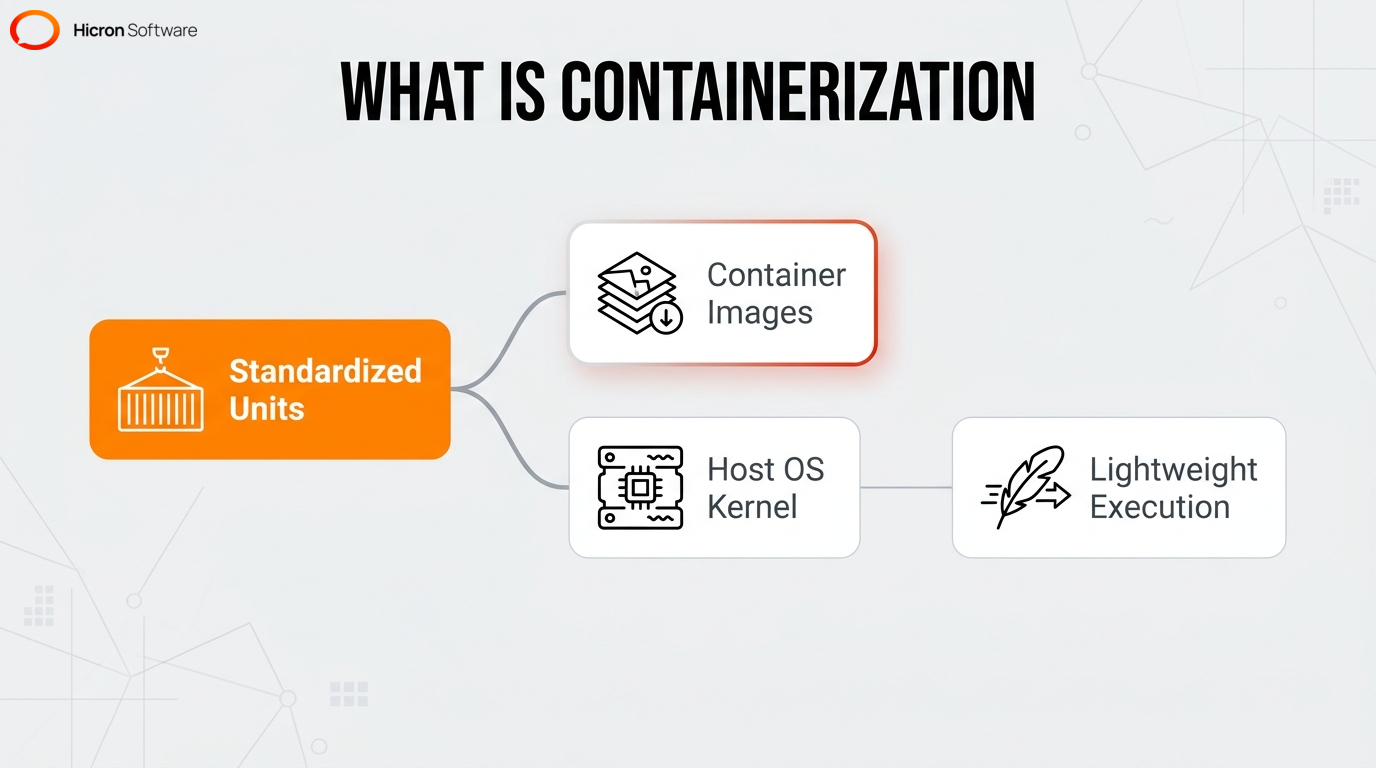
This architecture reduces deployment time to seconds compared to traditional software installation methods. Developers rely on container images to keep apps from interfering with each other and to quickly spin up new instances when demand spikes.
|
Core Component / Concept |
Definition & Function |
Key Benefits & Characteristics |
|
Containers vs. Virtual Machines |
Containers use OS-level virtualization to share the host operating system kernel, eliminating the need for a hypervisor and a complete guest operating system required by traditional VMs. |
|
|
Namespaces & Control Groups |
Core Linux kernel features where namespaces provide isolated environments (processes, networks, filesystems) and control groups allocate and limit physical hardware resources. |
|
|
Docker Architecture (Engine, Daemon, CLI) |
A client-server architecture where the command-line interface (CLI) translates input into API calls for the Docker daemon, which handles building, running, and distributing containers. |
|
|
Container Images & Dockerfile |
A Dockerfile uses sequential instructions to construct a static, read-only blueprint (container image) in multiple cached layers. A running container adds a writable layer over this blueprint. |
|
|
Orchestration (Kubernetes & Docker Compose) |
Tools that manage and scale containers. Docker Compose uses declarative YAML files for multi-container environments. Kubernetes is a production-grade platform for distributed clusters. |
|
|
Networking & Persistent Storage |
Containers use bridge networks for local communication and overlay networks for distributed clusters. They mount external file systems to bypass the ephemeral writable layer. |
|
Unlike hardware virtualization that requires a hypervisor, containers use OS-level virtualization. It’s a completely different approach. Virtual machines load a complete guest operating system like Ubuntu, Windows Server, or CentOS, for every application instance.
This structure creates hypervisor overhead, meaning you waste valuable memory and processing power before executing any code. Containers eliminate the guest OS layer, making them far more resource-efficient than traditional virtual machines.
Operating without a guest OS provides higher resource density and faster startup times. In fact, a container initializes its runtime environment in milliseconds, whereas a traditional virtual machine requires minutes to complete a boot sequence. You get more out of your servers without apps interfering with each other. Without a hypervisor slowing things down, developers can deploy applications rapidly and predictably. This lightweight portability is exactly what makes complex setups, like microservices or automated testing pipelines, possible.
Think of namespaces as invisible walls. In my experience, truly grasping this concept is the “aha” moment for most engineers learning container technology. The underlying operating system enforces boundaries and manages resources for individual containers through namespaces and control groups. These core Linux kernel features ensure secure process isolation and strict hardware resource management for containerized applications. Namespaces provide isolated environments for specific system components, including processes, networks, and filesystems, restricting visibility to prevent one container from interfering with another.
Control groups allocate and limit physical hardware resources. This strict management prevents a single application from exhausting the host system. By using native OS kernel features, containerization reduces wasted RAM without the overhead of hardware virtualization. This architecture prevents memory leaks in one app from crashing the whole server across different environments. DevOps professionals use this native isolation to maintain high scalability and portability for complex projects.
Docker uses a client-server architecture. The Docker client communicates with the Docker daemon, which handles the heavy lifting of building, running, and distributing containers. The client and daemon can run on the same system, or connect remotely via a REST API.
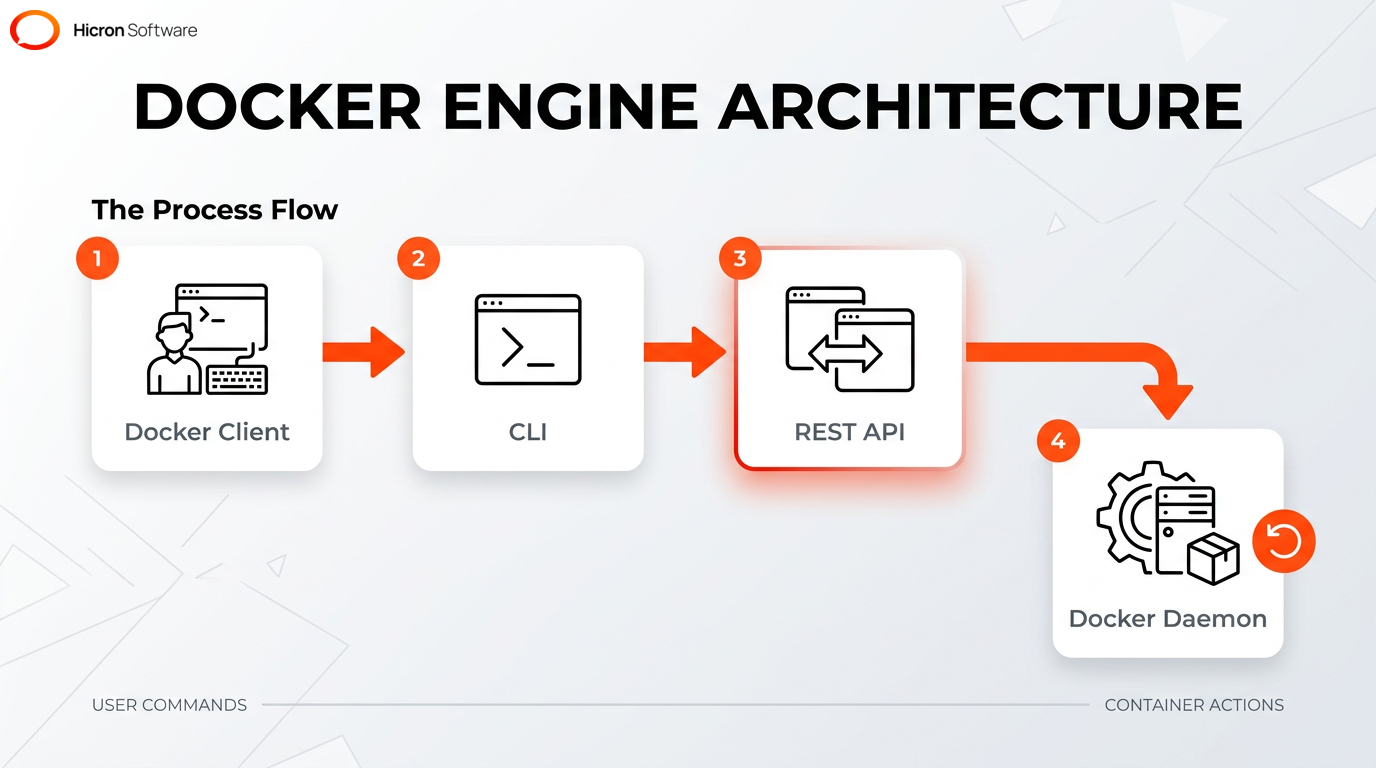
The Docker Engine is the core of the system. When you type a command, the command-line interface (CLI) translates your input into an API call, effectively telling the background service (the daemon) exactly what actions to perform.
The background daemon acts as the server-side component. It executes the core tasks of building and running containers for web servers or data processors. To provision a requested isolated environment for each running instance, this daemon directly uses control group and namespace technology. Developers rely on this specific engine functionality because it means your team can build an app once and run it anywhere without worrying about crashes.
A container image is a static, read-only blueprint containing all application dependencies, while a running container is the active, mutable instance created from that blueprint. Because the underlying image cannot be changed, developers are guaranteed a consistent environment, regardless of what happens within the active running instance.
A static template transforms into an active application instance when the system adds a writable layer over the base blueprint. It’s this layered architecture that maintains strict isolation during software deployment, allowing a team to use a single immutable image to spin up thousands of identical running containers. This containerization process ensures high portability whether the system operates on a local server or a production cluster.
A configuration file uses sequential instructions, like copying files or defining variables, to construct container images in multiple read-only layers. Each instruction generates a distinct layer within this architecture, which saves a massive amount of disk space.
Because Docker caches these layers, you don’t have to rebuild everything from scratch, speeding up your workflow. Here is a quick pro-tip: always put your most frequently changed instructions at the bottom of your Dockerfile to maximize this caching benefit. Multiple applications share common base layers, which reduces overall disk space and download times for rapid deployment.
A container registry operates as a centralized storage and distribution system. It allows developers to securely host, manage, and share immutable container images. You can store images publicly for anyone to use, or keep them in private repositories for your team. Centralized registries integrate directly with CI/CD deployment pipelines to distribute applications across different environments.
DevOps teams pull standardized units of software globally from these repositories to deploy faster. Containerization relies on this centralized architecture to deliver consistent templates to any runtime environment. Developers achieve faster release cycles by automating image retrieval through these registry platforms, and these storage systems provide the necessary infrastructure to launch active containers efficiently.
Containerization streamlines the development process by standardizing the development environment. This eliminates friction and ensures exact consistency from initial coding to final production, bridging the historical gap between development and operations teams to directly support modern DevOps practices.
Standardized units remove environment-specific bugs by replicating exact conditions across all pipeline stages, including local testing, staging, and live release. Containers optimize the overall engineering workflow by providing a highly reliable runtime environment that plugs directly into automated CI/CD pipelines. This consistent deployment model significantly accelerates application release cycles.
Need to run two different Python versions? Containers make it possible by bundling an application and its required dependencies into an isolated unit. This packaging completely decouples the runtime environment from the host system. Encapsulating specific library versions prevents system-wide interference. Because of strict process isolation, two applications requiring different versions of the same library can execute simultaneously on the same server.
I can’t overstate how much friction this removes from the onboarding process. New developers can pull the image and start coding on day one, rather than spending a week configuring their local machine.
By locking down dependencies inside the container to package applications, developers guarantee that software runs identically across diverse platforms, such as Linux servers, Windows environments, and cloud infrastructures.
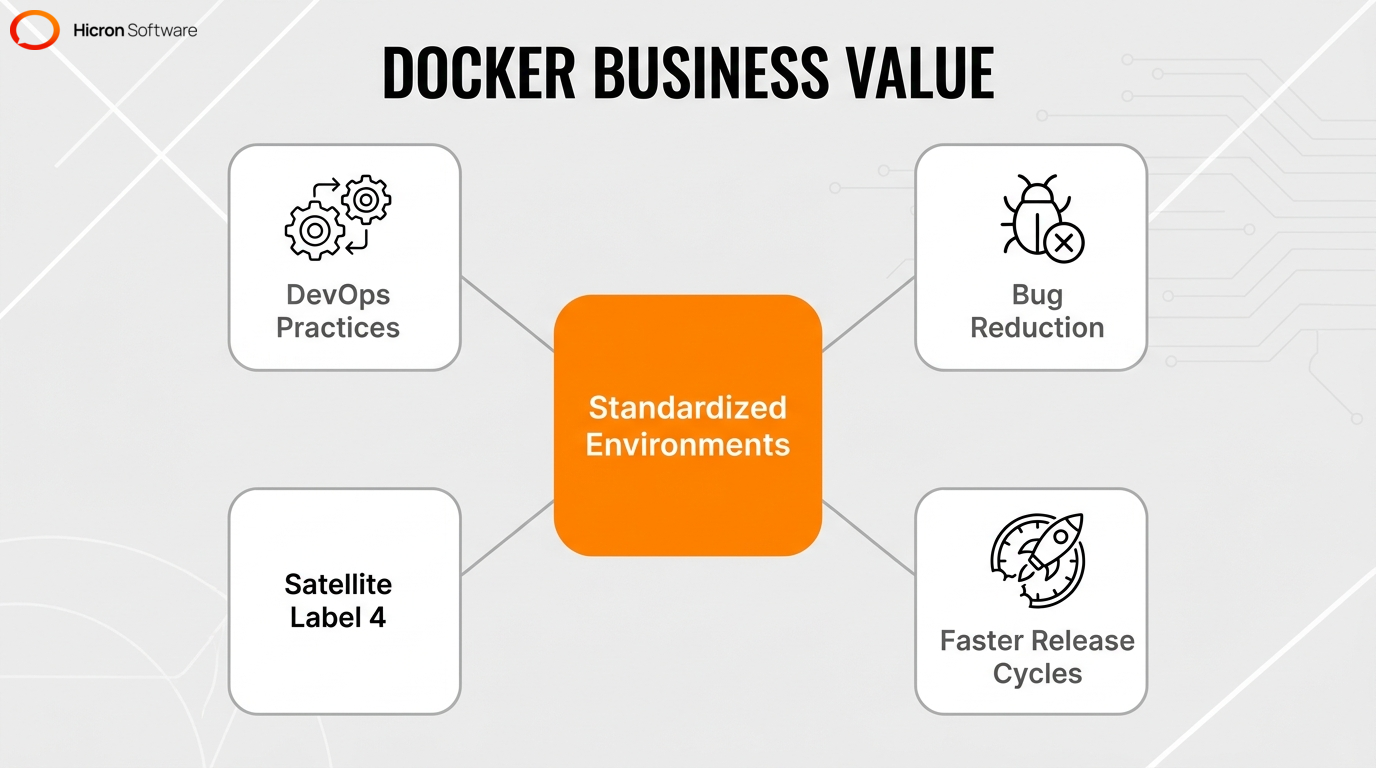
Containerization accelerates the delivery pipeline by providing reproducible artifacts that fit easily into automated CI/CD pipelines. This integration automates the building and testing of new container images for every code commit, including unit evaluations and integration checks. A centralized container registry securely stores these validated images to directly support modern DevOps practices.
Container technology enables this modern operations model by reducing architecture constraints and system complexity. Automated CI/CD pipelines use these predictable deployments to ensure that code tested in staging behaves identically in production. This frictionless move reduces deployment time significantly. Whether you are in local dev, staging, or production, the app runs exactly the same way.
Container technology provides core capabilities for building scalable, distributed modern architectures. Containers deliver lightweight isolation, rapid scaling, and portability for cloud-native applications, allowing teams to break down monolithic systems into smaller, independently deployable services. Developers use containers to scale applications horizontally by running multiple instances of the same image across diverse cloud infrastructures. This makes horizontal scaling effortless. It guarantees optimal hardware usage and continuous availability during software deployment.
Advanced orchestration platforms, such as Kubernetes and Docker Swarm, manage these distributed components to maintain high scalability. Containers provide the rapid startup execution necessary for serverless computing models. A container initializes its runtime environment in milliseconds to execute transient functions. This lightweight setup lets teams build fast, responsive cloud applications across managed clusters and serverless platforms. This strategy ensures exact portability across different servers.
When traffic spikes, orchestration tools step in to automatically manage, scale, and network thousands of containers across a machine cluster to ensure high availability. This system manages a large-fleet container deployment automatically in production by monitoring application load to provision or terminate an active instance. Orchestration enables rapid horizontal scalability by allowing numerous instances to start in milliseconds, while seamlessly managing the complex communication networks required for distributed microservices.
Multi-container orchestration tools use declarative YAML configuration files to define, link, and manage complex applications composed of interconnected components like independent services, internal networks, and storage volumes. With a single command, developers can spin up an entire stack of interacting containers.
A YAML file dictates the exact startup order to ensure proper initialization. For example, it can require a web application container to wait for a database container to initialize before starting. Version-controlling this single file ensures reproducibility and stability across environments. Containerization streamlines local development and automated deployment by standardizing complex environments.
Kubernetes serves as a production-grade orchestration platform that automates the deployment, scalability, and self-healing of containerized applications across distributed clusters. This system manages container clusters by spreading the work across your servers so no single machine gets overwhelmed in cloud-native environments.
The platform automates horizontal scaling based on real-time traffic demands when administrators configure performance thresholds, such as CPU limits and memory constraints. Self-healing mechanisms ensure high availability by automatically restarting failed instances. These core capabilities make Kubernetes the standard for managing complex, enterprise-scale containerization projects.
Isolated environments communicate with each other and retain data permanently by using specialized networking subsystems and external volume mounts. Containers use specific network drivers to provide networking flexibility while maintaining strict isolation within the runtime environment. Persistent storage volumes maintain stateful applications securely, ensuring continuous data availability.
There are two networking mechanisms that allow containers to communicate locally and across a distributed cluster: a bridge network and an overlay network. A bridge network provides a default, isolated IP space to enable secure communication during a local deployment. An orchestration platform uses an overlay network to route traffic smoothly across a complex, multi-node environment.
Thanks to overlay networks, a web frontend container can securely communicate with a backend API container, even if they are hosted on entirely different physical servers miles apart.
Applications retain critical data by bypassing the ephemeral writable layer and mounting external file systems. This persistent storage mechanism keeps data outside the container, allowing stateful information to survive even if the container itself is destroyed and recreated.
You can use two primary volume configurations to share data securely between multiple instances or backup systems. Take it from me, getting your volume mounts configured correctly from day one will save you massive headaches down the road. If developers spin up a newer image version during deployment, a database container automatically reconnects to its external volume without data loss.

Hicron Software proved to be a trusted partner with unmatched technical expertise, delivering a scalable and user-friendly web application that was pivotal to our successful U.S. market expansion.

Hicron’s contributions have been vital in making our product ready for commercialization. Their commitment to excellence, innovative solutions, and flexible approach were key factors in our successful collaboration.
I wholeheartedly recommend Hicron to any organization seeking a strategic long-term partnership, reliable and skilled partner for their technological needs.

After carefully evaluating suppliers, we decided to try a new approach and start working with a near-shore software house. Cooperation with Hicron Software House was something different, and it turned out to be a great success that brought added value to our company.
With HICRON’s creative ideas and fresh perspective, we reached a new level of our core platform and achieved our business goals.
Many thanks for what you did so far; we are looking forward to more in future!

Hicron is a partner who has provided excellent software development services. Their talented software engineers have a strong focus on collaboration and quality. They have helped us in achieving our goals across our cloud platforms at a good pace, without compromising on the quality of our services. Our partnership is professional and solution-focused!

The IT system supporting the work of retail outlets is the foundation of our business. The ability to optimize and adapt it to the needs of all entities in the PSA Group is of strategic importance and we consider it a step into the future. This project is a huge challenge: not only for us in terms of organization, but also for our partners – including Hicron – in terms of adapting the system to the needs and business models of PSA. Cooperation with Hicron consultants, taking into account their competences in the field of programming and processes specific to the automotive sector, gave us many reasons to be satisfied.

