Ensuring Accessibility: A Crucial Element in Web Development
- March 20
- 5 min

Digital accessibility is no longer only a best practice — it is a fundamental human right and a legal necessity. As web applications grow more complex, depending on dynamic components and single-page architectures, maintaining an inclusive digital environment must scale accordingly. The application of Artificial Intelligence (AI) and Large Language Models (LLMs) in accessibility auditing has triggered a massive debate: Is AI a dangerous auditor vulnerable to hallucinations, or a genius assistant that helps developers to build better?
This guide, a supplement to the TestCon 2026 presentation “AI in Accessibility: Dangerous Auditor or Genius Assistant?”, analyzes AI’s role in digital accessibility, debunks myths, highlights breakthroughs, and presents a safe, human-centric framework.
In the IT industry, there is a common belief that traditional automated scanning tools (such as axe-core, WAVE, and Lighthouse) only catch about 20% to 30% of accessibility errors. However, when Deque Systems published a 2021 report saying automation covered 57.38% of issues, it created a lot of confusion.

Where does this difference come from? It all comes down to methodology:
A controlled study by the UK’s Government Digital Service (GDS Study 2017) tested scanners against a set of 142 known accessibility barriers. The scanners correctly identified only 20% – 40% of unique issues. In fact, traditional automation covers only 25% of WCAG success criteria at Level A and 17% at Level AA.
Deque Systems (2021) evaluated over 13,000 pages and nearly 300,000 individual incidents. The value of 57.38% reflects the scale of repeated code errors. For example, if a product template lacks a form label and is duplicated across a list of 1,000 products, the scanner reports 1,000 errors. Fixing the template resolves all 1,000 incidents at once.
Showing management a report claiming “60% of errors fixed” usually means you have successfully cleared the syntactical noise in the code. Meanwhile, 70% to 80% of unique, functional barriers are still actively blocking users with disabilities.
Rule-based tools analyze the static Document Object Model (DOM) for the presence of attributes, not their semantic meaning. They can verify that alt=”image.jpg” exists, but they cannot tell if the text meaningfully describes the image. They search for tabindex=”0″, but they are entirely blind to whether the logical focus order makes sense to a human navigating via a keyboard. They also ignore cognitive accessibility (COGA) and dynamic context shifts.
Check out sites like UserInyerface.com — a site intentionally designed to be a user experience nightmare. A standard automated scanner might give its forms and buttons a green light because the HTML tags are syntactically valid. Yet, functionally and semantically, the site is an absolute disaster that completely blocks screen reader and keyboard users.
WCAG criteria are well known for their complexity and for being written in strict legal and standardization jargon. When a developer encounters a scanner warning like, “Element button does not have an accessible name,” they may not naturally know how to fix it, or why it matters.
Generative AI excels here as an interactive, plain-language translator. It can take a raw axe-core error and transform it into a well-organized, actionable Jira or GitHub task split into three clear parts:
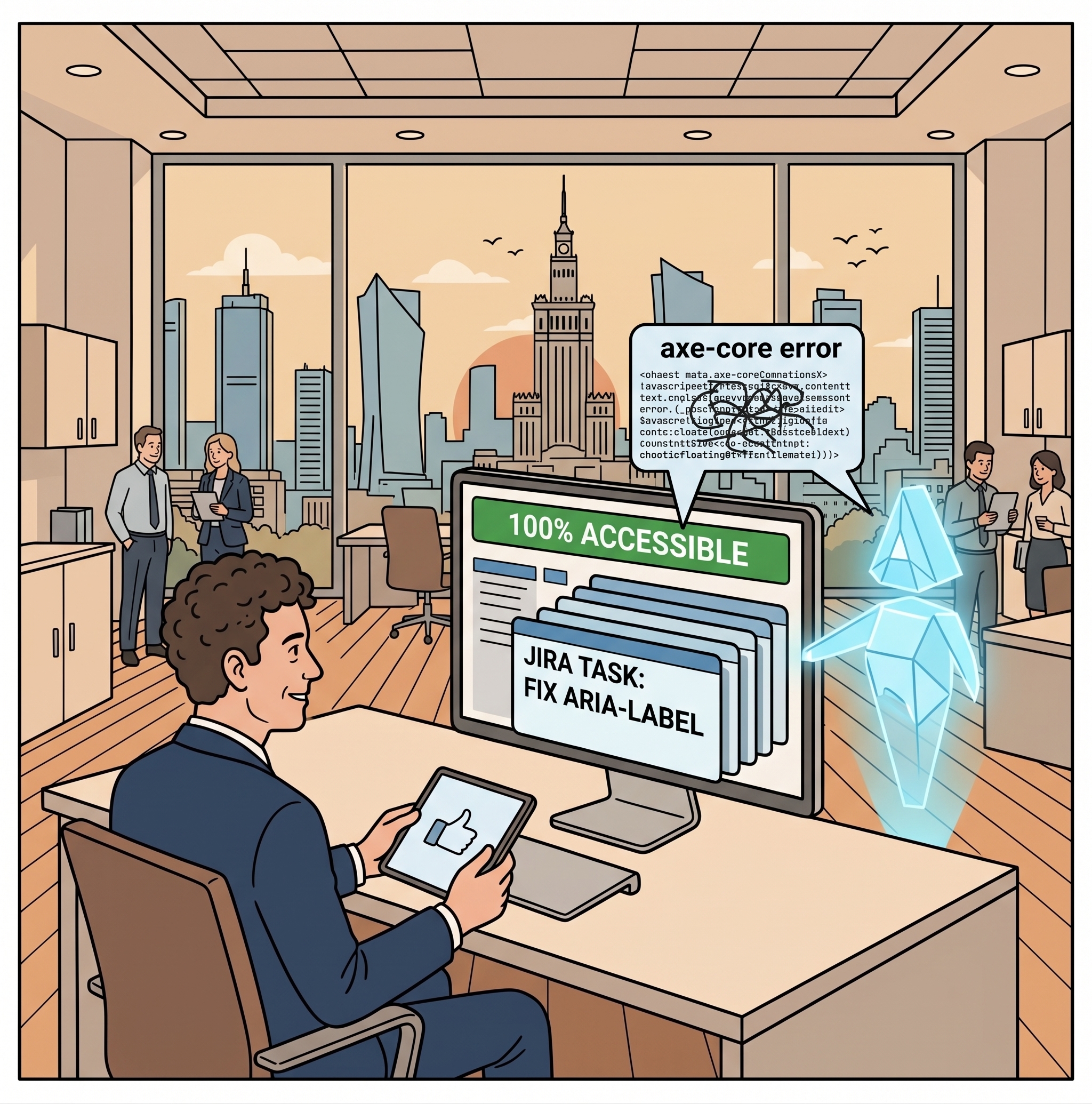
Dynamic applications built on frameworks like Angular, React, and Vue have historically confused automated tools because content updates asynchronously without page reloads. A 2026 study by Fernández-Navarro et al. demonstrated a breakthrough: an LLM-based pipeline successfully removed 86% of accessibility errors in complex Angular applications.
The AI did more than add static attributes. It analyzed the logic of the components, dynamically injected aria-live notifications (alerting screen readers to asynchronously loaded data), and managed keyboard focus natively at the source code level.
According to the WebAIM Million report (2026), over 25% of all images on top websites have missing, questionable, or repetitive alternative text. To quickly patch this, many organizations mass-deploy standard vision models (MLLMs) to generate alt text for their entire image databases.
This leads to a phenomenon known as “functional blindness.”
In studies at the University of Illinois (2025/2026), blind screen reader users could detect AI-generated image descriptions in seconds. Why? Because basic AI describes pixels, not purpose. It lists objects mechanically — e.g., “A man and a woman sitting at a wooden table in a room with white walls” — without expressing the author’s intent or the relationships between subjects. All this visual noise overwhelmed users, causing many to give up while shopping or browsing. As one tester noted: “AI describes what it sees in the pixels; a human needs to know why that image is on the page.”
The solution is Context-Aware AI. Research by Huynh & Lin (2026) introduced SmartCaption AI, a system that first analyzes and summarizes the text surrounding the image (headings, paragraphs) before prompting the vision model for an image description.
By grounding the vision model in the page’s context, the descriptions’ accuracy and usefulness jumped to 87.18%.
Alternatively, teams can design tailored system prompts or lightweight custom agents to feed local layout context and domain knowledge into the model to generate meaningful, purpose-driven alt text.
Relying on out-of-the-box LLMs for technical and legal accessibility audits introduces critical operational risks. In light of rigorous regulatory enforcement — such as the European Accessibility Act (EAA) and EN 301 549 standards — hallucinating non-existent legal exemptions, inventing fabricated WCAG success criteria, or recommending invalid ARIA patterns creates immediate legal liabilities and financial exposure.
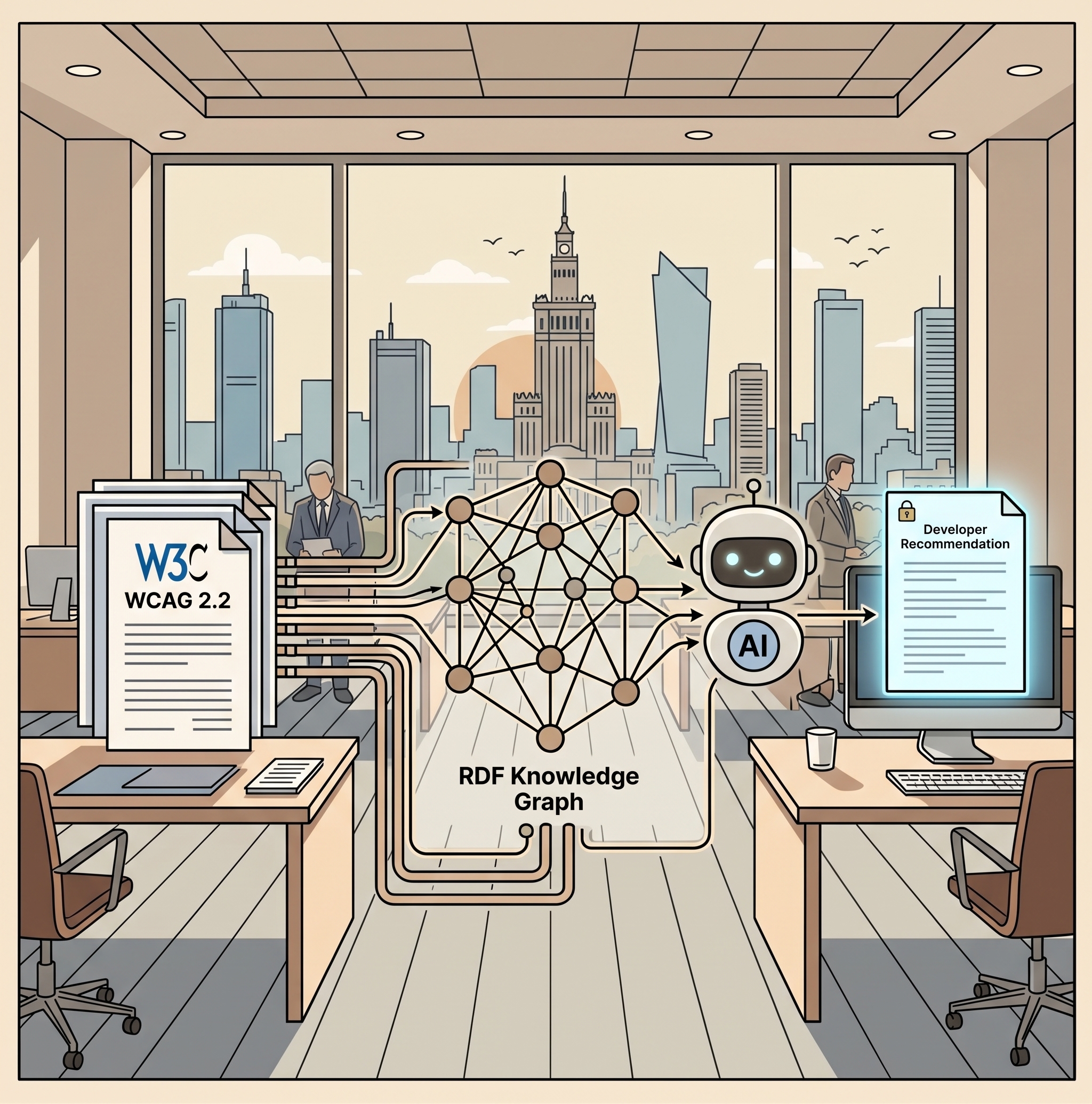
To eliminate hallucinations and stay aligned with official W3C specifications, engineering teams implement an Accessibility-RAG (Retrieval-Augmented Generation) architecture. Grounding ensures the generative model doesn’t produce answers from parametric memory; instead, it synthesizes responses strictly from verified documentation fragments retrieved from an authoritative knowledge base.
Conventional RAG implementations often rely on naive chunking, mechanically slicing the WCAG 2.2 specification into fixed arbitrary chunks (e.g., 500 tokens). In accessibility compliance, this naive approach is fundamentally flawed because it severs crucial hierarchical and semantic relationships. WCAG is not flat prose; it is a deeply structured normative hierarchy:
Principle (POUR) → Guideline → Success Criterion (A / AA / AAA) → Sufficient Technique → Advisory Technique / Exception
Arbitrary text boundaries sever criteria from their conformance levels or detach normative rules from official exemptions, triggering severe false positives.
Modern Accessibility-RAG architectures deploy structure-aware chunking and RDF Knowledge Graphs (as explored in research on the G3BG framework — Graph-Based Block-to-Block Generation). Representing accessibility standards as graph nodes and edges allows the retrieval engine to traverse semantic pathways (e.g., Form Controls → Labels → Criterion 3.3.2) while preserving complete legal context.
To ensure an internal Accessibility-RAG pipeline delivers trustworthy guidance to developers and auditors, evaluation is decomposed across three core dimensions comprising the RAG Triad (popularized by the TruLens RAG Evaluation Framework and research on LLM-FACETS):
These dimensions are further augmented by Context Precision (ensuring the most relevant criteria rank highest) and Context Recall (verifying that all necessary standards required for a complete answer were successfully retrieved).
A robust RAG system integrates additional safeguards against subtle misinterpretations:
By monitoring token-level log-probabilities at inference, the user interface highlights AI text in amber or red where statistical confidence drops. This provides an immediate visual cue for human auditors to inspect low-confidence assertions closely.
Explicit constraints prohibit the model from guessing or interpreting regulatory ambiguities. If a query addresses an edge-case interaction not explicitly covered in W3C normative specifications, the assistant triggers a graceful refusal and routes the inquiry to a human accessibility specialist.
To maintain automated quality gates, Accessibility-RAG pipelines are integrated into developer continuous delivery workflows:
When organizations attempt to replace human accessibility auditors entirely with autonomous AI systems, they fall into the trap of Hallucinated Compliance. Far more insidious than a scanner missing a syntax error, this poses a three-dimensional technical, legal, and functional threat:
The model issues a confident compliance report declaring a digital product 100% compliant with WCAG 2.1 AA or the European Accessibility Act. In reality, the product contains critical functional barriers — keyboard traps, focus drops during modal navigation, or unannounced SPA updates. AI validates code syntax while remaining completely blind to actual user experience and cognitive accessibility.
LLMs frequently hallucinate fictional compliance criteria, fabricate legal exceptions, or recommend outdated, counterproductive ARIA attributes. Development teams risk wasting hundreds of engineering hours implementing false fixes that add noise and violate official W3C specifications.
When autonomous agents attempt auto-remediation (e.g., injecting an aria-label into a button), they frequently focus on isolated snippets. As a result, they corrupt parent DOM trees, duplicate unique element IDs, break heading hierarchies, or disrupt client-side event listeners. The page gains a syntactically valid button while breaking overall application stability.
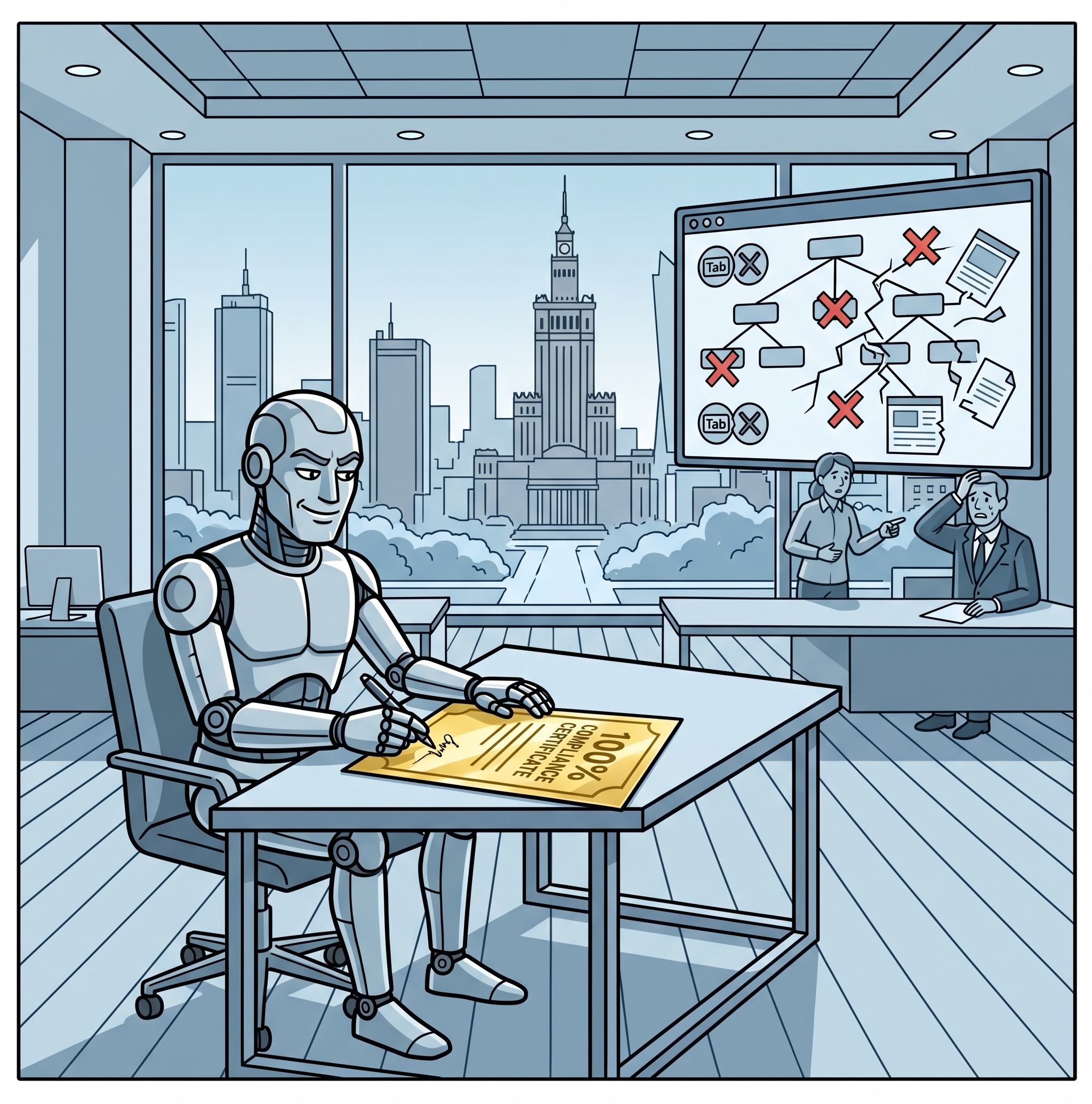
Studies evaluating self-verification in popular LLMs (such as GPT-4o mini and Gemini Flash) show alarmingly low verification accuracy (30% to 34%). Although advanced reasoning models (such as o3-mini) can serve as verifiers in a second stage — increasing accuracy to 79% — approving an unverified, fully automated audit conducted by artificial intelligence exposes companies to severe regulatory penalties under the EAA. Unchecked automation becomes the most expensive shortcut an organization can take.
Perhaps AI’s most critical vulnerability is its inability to evaluate cognitive barriers. A Systematic Literature Review (SLR) presented at Web4All analyzing 38 empirical studies revealed that accessibility LLMs focus almost exclusively on code syntax (alt attributes, color contrast formulas, lang tags). They completely overlook Cognitive and Learning Disabilities Accessibility (COGA) guidelines. AI cannot reliably evaluate cognitive load, navigational predictability, content readability, or emotional tone.
Is AI in digital accessibility a dangerous auditor or a genius assistant? The answer is: it is both. Which persona emerges depends entirely on whether we grant it autonomous authority or keep it anchored under human oversight.
Under human direction, AI is an outstanding assistant — eliminating repetitive, monotonous chores, clarifying dense regulatory jargon into developer tickets, and drafting contextual code patterns. Left unchecked as an autonomous auditor, it fabricates compliance certificates, invents phantom criteria, corrupts code architecture, and ignores cognitive exclusion.
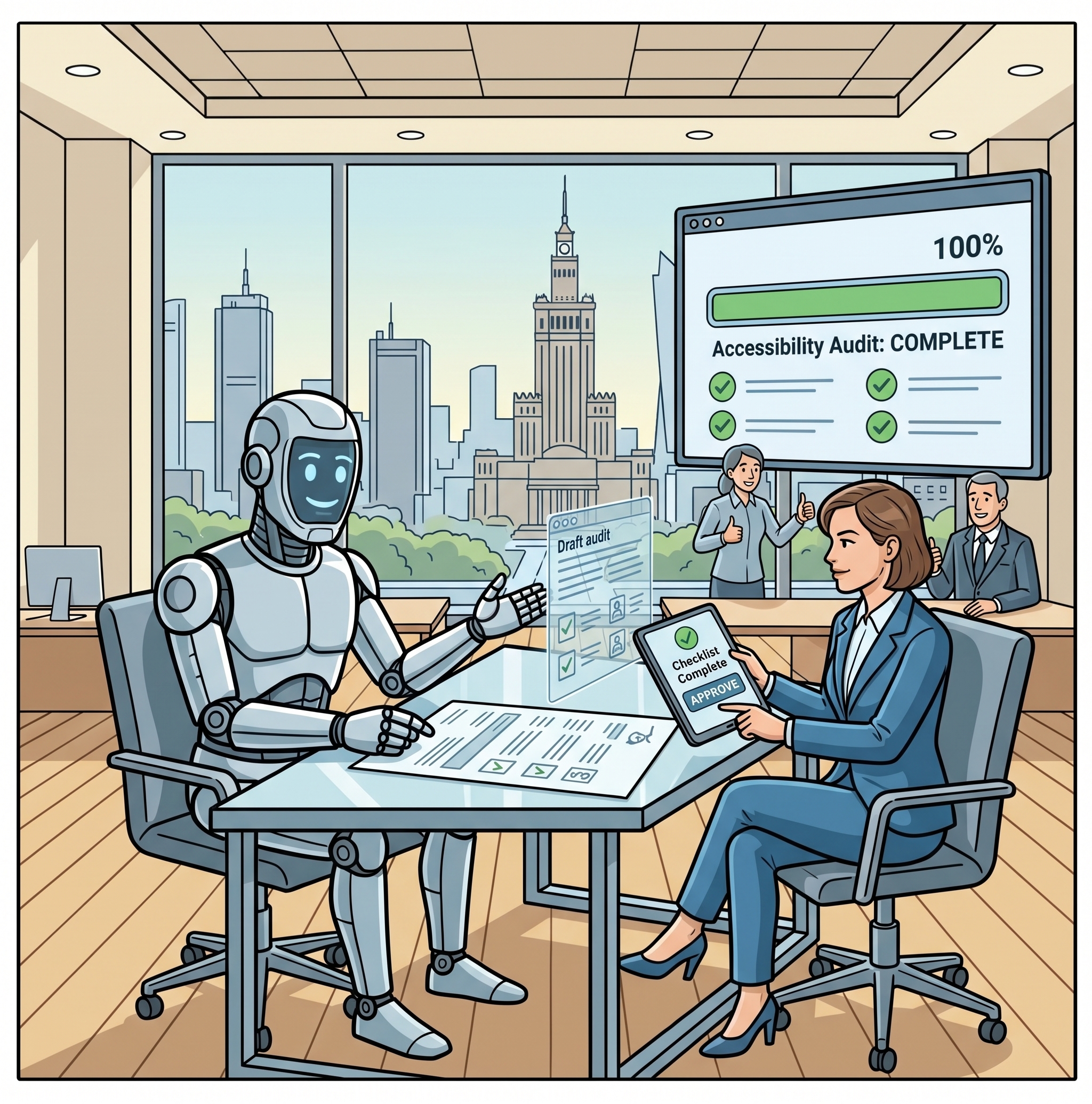
Human-in-the-Loop is not a temporary stepping stone; it is the permanent operational standard for genuine accessibility. AI generates the initial draft, but human insight supplies empathy, contextual discernment, and legal accountability. Ultimate accessibility is measured by the lived human experience, not by the absence of error logs in a developer console.

No. These widgets just act as a JavaScript band-aid for broken DOM. Research shows screen reader users often disable them because they conflict with their assistive technology settings. Safe, effective AI works at the source code level within the CI/CD pipeline, not as a bolted-on script.
No. Signing a 100% AI-generated audit carries massive legal and financial risk under regulations like the EAA. With models showing only 30% – 34% accuracy in self-verification and a high risk of hallucinated compliance, AI should only be used to draft the initial triage. The legal responsibility and final signature must always come from a human expert.
Point to the methodology behind the numbers (Deque Systems 2021 and GDS Study 2017). Traditional scanners only test for about 25% of WCAG-A criteria. A green bar simply means your HTML is syntactically free of obvious errors; it does not mean a blind or motor-impaired user can actually complete a purchase on your site.
Yes, but the architecture must change. Applying raw AI to images creates noise. However, using a Context-Aware approach (like SmartCaption AI) that feeds the model surrounding page text pushes accuracy above 87%. For massive e-commerce catalogs, this represents a monumental time-saving, provided a human remains in the loop for quality control.
No. Systematic literature reviews show LLMs focus almost exclusively on mechanical HTML syntax (like ARIA attributes, image tags, and contrast) and almost completely miss COGA guidelines. AI cannot accurately judge layout predictability, information overload, or reading strain. While AI can help rephrase complex copy into plain language, evaluating cognitive accessibility still requires human UX testing and user feedback.
Use AI at the IDE or Pull Request stage, never in autonomous auto-fix mode. Integrate AI via Model Context Protocol (MCP) servers or PR assistants (such as AccessGuru or WebYes) directly in the developer environment. The AI acts as a co-pilot that drafts code fixes and explains errors in plain language, but every PR must pass automated linters (e.g., axe-core) and undergo mandatory human code review before merging.
Yes, but only for triage and developer guidance. Research on LLM token usage shows that running unconstrained LLM loops over full DOMs generates significant API costs (“invisible tokens”) while solving less than 26% of complex code issues autonomously. The highest ROI comes from using AI to translate raw WCAG errors into actionable Jira tasks, saving developers hours of research rather than trying to fully automate the audit itself.
No. Blindly running AI vision models across a site often tags purely decorative icons, spacers, and background graphics with useless visual descriptions. This creates severe screen reader noise and user fatigue. AI pipelines must be conditioned with rules to identify decorative images and assign empty alt=”” attributes (or aria-hidden=”true”) rather than describing every pixel.
Build an Accessibility-RAG grounded in official W3C specifications, not a raw LLM. Use a Graph-based (RDF) or structured retrieval architecture rather than simple PDF chunking to preserve the hierarchy of WCAG criteria and techniques. Implement strict guardrails that force the model to decline answering when WCAG guidance is unclear, and use reasoning models (or multi-stage evaluation) to filter out hallucinated compliance.
Hicron Software proved to be a trusted partner with unmatched technical expertise, delivering a scalable and user-friendly web application that was pivotal to our successful U.S. market expansion.

Hicron’s contributions have been vital in making our product ready for commercialization. Their commitment to excellence, innovative solutions, and flexible approach were key factors in our successful collaboration.
I wholeheartedly recommend Hicron to any organization seeking a strategic long-term partnership, reliable and skilled partner for their technological needs.

After carefully evaluating suppliers, we decided to try a new approach and start working with a near-shore software house. Cooperation with Hicron Software House was something different, and it turned out to be a great success that brought added value to our company.
With HICRON’s creative ideas and fresh perspective, we reached a new level of our core platform and achieved our business goals.
Many thanks for what you did so far; we are looking forward to more in future!

Hicron is a partner who has provided excellent software development services. Their talented software engineers have a strong focus on collaboration and quality. They have helped us in achieving our goals across our cloud platforms at a good pace, without compromising on the quality of our services. Our partnership is professional and solution-focused!

The IT system supporting the work of retail outlets is the foundation of our business. The ability to optimize and adapt it to the needs of all entities in the PSA Group is of strategic importance and we consider it a step into the future. This project is a huge challenge: not only for us in terms of organization, but also for our partners – including Hicron – in terms of adapting the system to the needs and business models of PSA. Cooperation with Hicron consultants, taking into account their competences in the field of programming and processes specific to the automotive sector, gave us many reasons to be satisfied.