How to Improve User Interface in Insurance Applications?
- June 27
- 21 min

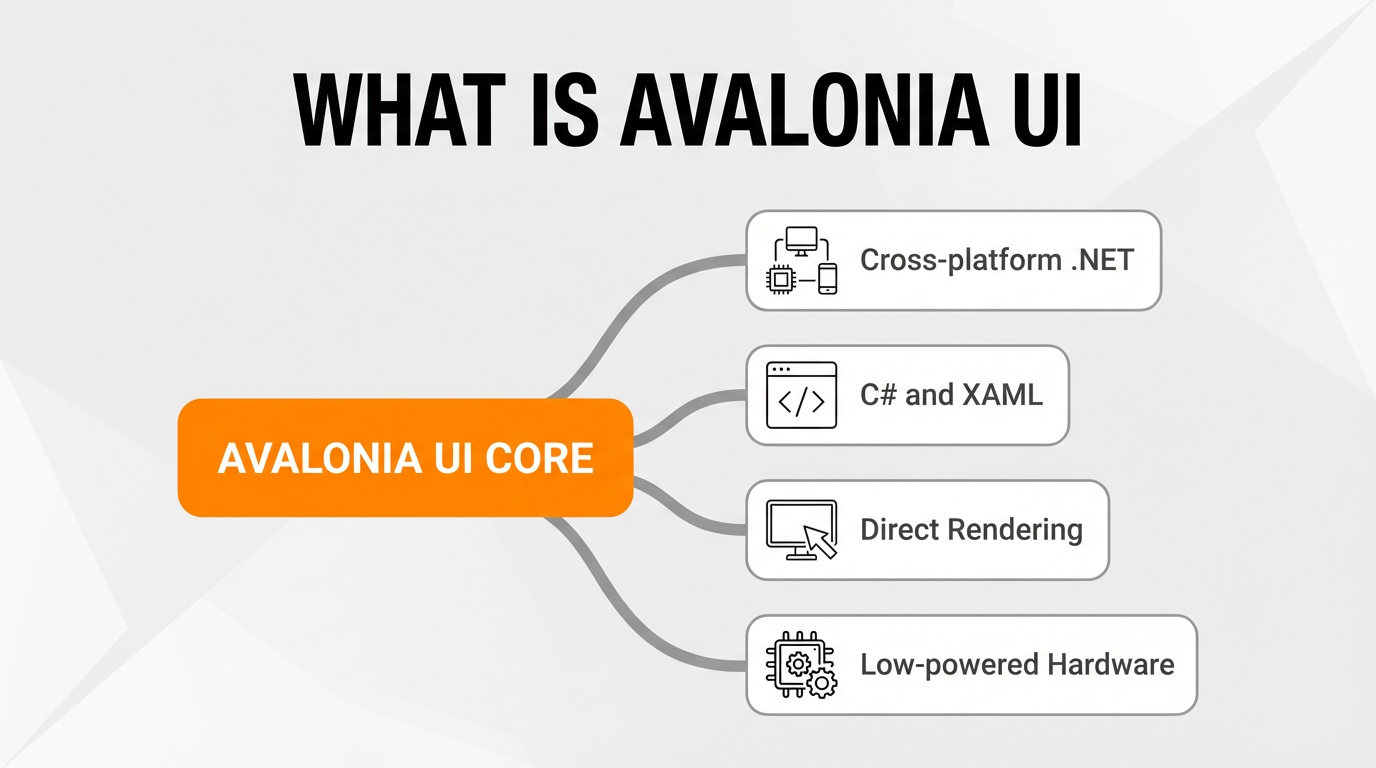
Avalonia UI builds high-performance, responsive user interfaces on embedded Linux systems. Because its cross-platform .NET architecture isn’t tied to a specific operating system, developers can write applications using C# and XAML. It bypasses heavy display servers, which speeds up rendering.
This direct rendering approach allows developers to build screens that react instantly to user input even on low-powered hardware.
|
Key Aspect |
Technologies & Components |
Description & Benefits |
|
Architecture & UI Design |
|
Builds high-performance, responsive UIs without being tied to a specific OS. Visual tree management and the Painter’s Algorithm ensure a pixel-perfect UI and exact visual fidelity across touch interfaces. |
|
Graphics & Rendering |
|
Bypasses bloated desktop environments like X11 and Wayland by communicating directly with the Linux kernel. Uses hardware acceleration for zero-lag touch responses, with FBDev acting as a reliable software rendering fallback for legacy hardware. |
|
Hardware & OS Support |
|
Optimized for low-powered IoT devices and industrial controllers. Performs best on minimal, headless Linux distributions to reduce system overhead and free up memory and CPU power. |
|
Deployment & Performance |
|
AOT compilation eliminates Just-In-Time (JIT) overhead for near-instant application launches. Self-contained deployments bundle the .NET runtime, requiring no pre-installed dependencies on target IoT devices. |
|
Common Applications |
|
Powers crash-resistant interfaces for factory floors, retail terminals, and medical monitors. Allows direct hardware manipulation (like opening valves and activating relays) and real-time data sync with physical machinery. |
|
Framework Comparison |
|
Superior to Electron for resource-constrained embedded systems. Uses a lightweight, compiled C# core instead of an overhead-heavy web wrapper, delivering lower memory usage, faster startup times, and native execution. |
Avalonia UI works across a wide range of hardware, allowing developers to apply their existing .NET skills to ensure smooth swiping and tapping on low-powered IoT devices. Even if your hardware is limited, the framework won’t slow down. If you’ve ever watched a heavy UI framework struggle to render a simple button click on a low-end board, you’ll immediately appreciate this.
This lightweight architecture helps developers move old Windows CE apps to modern Raspberry Pi setups. By using hardware acceleration, applications run smoothly on the target board without relying on resource-intensive display servers.
Avalonia UI achieves high performance by communicating directly with the Linux kernel’s graphics subsystem, completely bypassing bloated desktop environments like X11 and Wayland. To display visual data efficiently on minimal Linux distributions, the framework uses direct kernel communication and falls back to software rendering when necessary.
The Skia rendering engine offloads graphic instructions directly to the GPU using low-level graphics APIs like Vulkan. Because it uses hardware acceleration, you get high frame rates and zero-lag touch responses on constrained embedded systems.
Skia acts as the backend via SkiaSharp, ensuring your UI looks exactly the same everywhere.
The Direct Rendering Manager (DRM) operates within the Linux kernel as a high-performance interface to GPUs. Kernel Mode Setting (KMS) manages the following directly in kernel space:
When you use DRM and KMS together, they bypass display servers to output graphics directly on embedded Linux.
They manage video memory for the rendering engine, ensuring smooth frame rates.
The Linux Framebuffer (FBDev) is an older graphics layer that acts as a backup software rendering fallback for embedded Linux platforms lacking a dedicated GPU. Applications write visual data directly to a memory-mapped region to display the interface. If the system lacks DRM or hardware acceleration, the framework communicates directly with the kernel’s graphics subsystem via this framebuffer.
As a result, you can keep your UI running even without a primary rendering engine, a common scenario in Yocto and Alpine environments. Older kiosks and industrial displays frequently use this fallback method. From personal experience, having this reliable fallback can save a project when you’re working with legacy hardware that refuses to play nicely with modern graphics drivers.
Avalonia UI is compatible with multiple primary CPU architectures for embedded systems, allowing the .NET framework to run smoothly on lower-powered hardware. Supported hardware ranges from industry-standard boards to custom industrial controllers. The platform performs best on minimal Linux distributions, which reduces system overhead and frees up memory and CPU power.
Avalonia UI processes graphical computations with minimal latency on ARM-based hardware like the Raspberry Pi. The .NET architecture optimizes performance in two main ways for ARM processors: memory allocation and thread management. Developers can also interface directly with device-specific hardware components, such as GPIO pins.
Headless operating systems like Raspberry Pi OS Lite maximize resource availability for IoT devices. Raspberry Pi OS Lite is the recommended foundation for embedded systems, providing hardware acceleration for smooth UI performance when the board includes a dedicated GPU.
The Yocto Project provides a toolset for creating highly customized, minimal Linux distributions tailored to professional embedded systems, building minimal OS images containing exactly two essential components: the Linux kernel and specific UI dependencies. Building custom distributions boosts both security and performance. Organizations frequently use Yocto to deploy tailored solutions for specific hardware, including industrial controllers and IoT devices.
The project is widely used in the embedded Linux space to compile custom, lightweight operating systems. Once the OS is built, developers can deploy their Avalonia applications onto it, leveraging a shared codebase across different hardware. These customized environments maintain high efficiency on the target board, even when devices run on low-end hardware.
Structuring the user interface layout with XAML ensures your UI looks the same across platforms, and pairs perfectly with the MVVM pattern to provide a clean separation between the visual presentation and the underlying C# business logic.
The rendering engine rapidly processes visual data to maintain precise output. Because it uses a shared codebase, developers can deploy applications across everything from Raspberry Pis to industrial touch panels.
Visual tree management structures the user interface independently of native OS widgets. To manage custom controls defined in XAML, such as sliders and dials, the underlying framework organizes layout, input, and rendering. The rendering engine uses the Painter’s Algorithm to draw UI components from back to front, determining the exact Z-order rendering.
As a result, you get exact visual fidelity across touch interfaces like kiosks and tablets. The visual output remains consistent, even when the system relies on software rendering.
Modern cross-platform development is moving away from native OS widgets toward custom-drawn UI elements. Developers use C# and XAML to build custom controls, and the Skia rendering engine processes these graphical primitives through SkiaSharp instead of relying on native widgets.
By rendering directly, you get a pixel-perfect UI with identical visual output across any embedded operating system. Efficient visual tree management organizes these custom-drawn components. This means the application maintains visual consistency across changing hardware platforms, whether moving between industrial touch panels or minimal Linux devices.
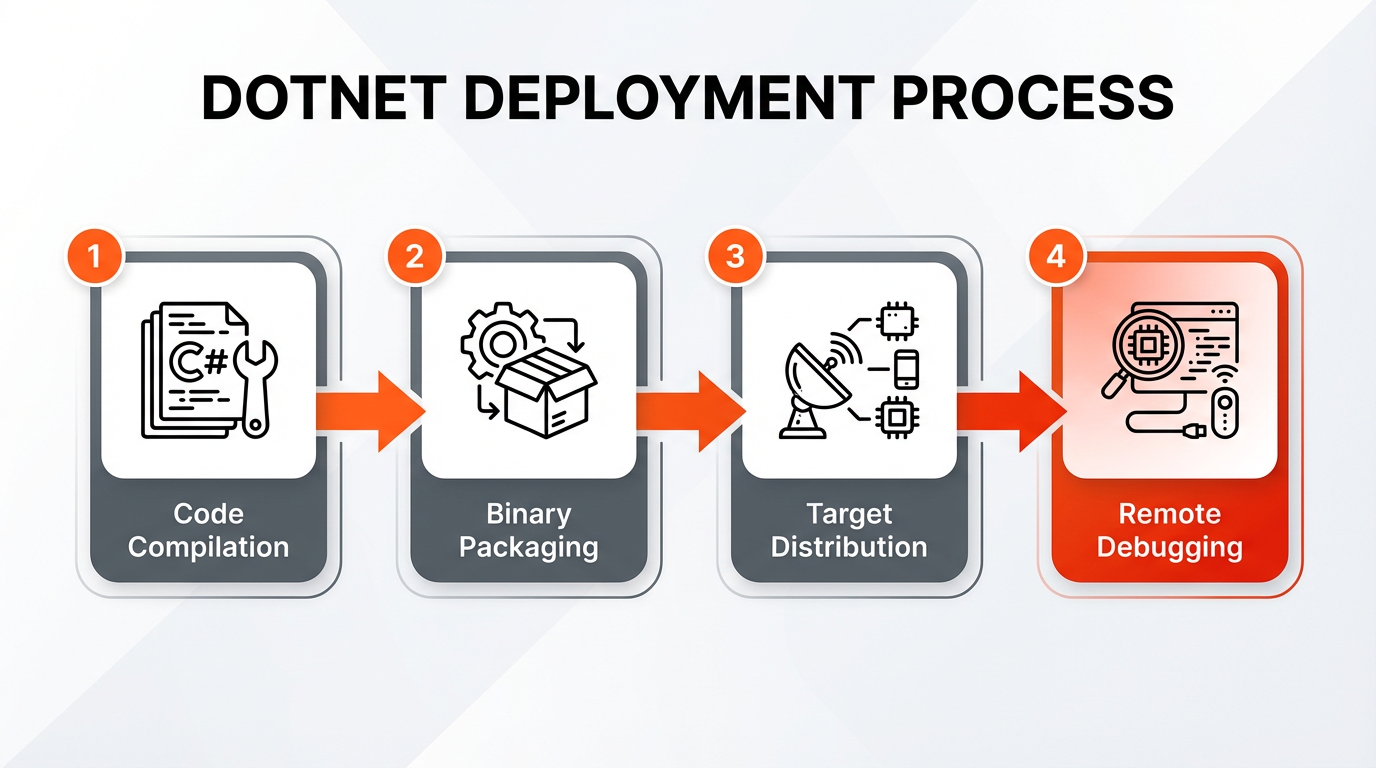
Deploying your app usually involves three stages:
Cross-platform development relies on this simple deployment process to efficiently manage software updates on remote IoT devices.
Setting up remote debugging from a developer’s workstation to the embedded device lets you track performance in real-time. Engineers can attach debuggers over a network connection to diagnose execution issues directly on the Linux-based hardware. I can’t stress enough how much time this saves compared to relying purely on console logs. Your app will run stably as long as the deployment process correctly targets the specific CPU architecture of the embedded system.
To enable direct graphical output, it’s essential to configure the Avalonia.LinuxFramebuffer NuGet package. Developers integrate this software library into a C# .NET project to unlock framebuffer and Direct Rendering Manager (DRM) support on embedded systems. The configuration process requires modifying the application startup code to initialize rendering backends like FBDev and DRM.
Properly managing these dependencies ensures the rendering engine functions correctly in headless embedded Linux environments. By calling initialization methods like .UseLinuxFramebuffer() or .UseEgl() in the application builder, the project outputs graphics directly to the screen without a display server. If DRM is unavailable, the application can still fall back on software rendering via FBDev to draw the UI directly to the framebuffer memory.
Ahead-of-Time (AOT) compilation translates .NET code into native machine code before execution. Unlike traditional Just-In-Time (JIT) compilation, AOT completely eliminates runtime translation overhead. AOT compilation is crucial for optimizing embedded Linux applications, such as industrial interfaces and kiosks. The process achieves near-instant application launches and lowers overall CPU utilization on resource-constrained IoT devices. As a pro-tip, always test your AOT builds early in the development cycle to catch any reflection-based runtime issues before deployment.
As a result, the computational load drops drastically on the device. By pre-compiling the application, developers ensure that the UI renders with maximum efficiency the moment the device boots up.
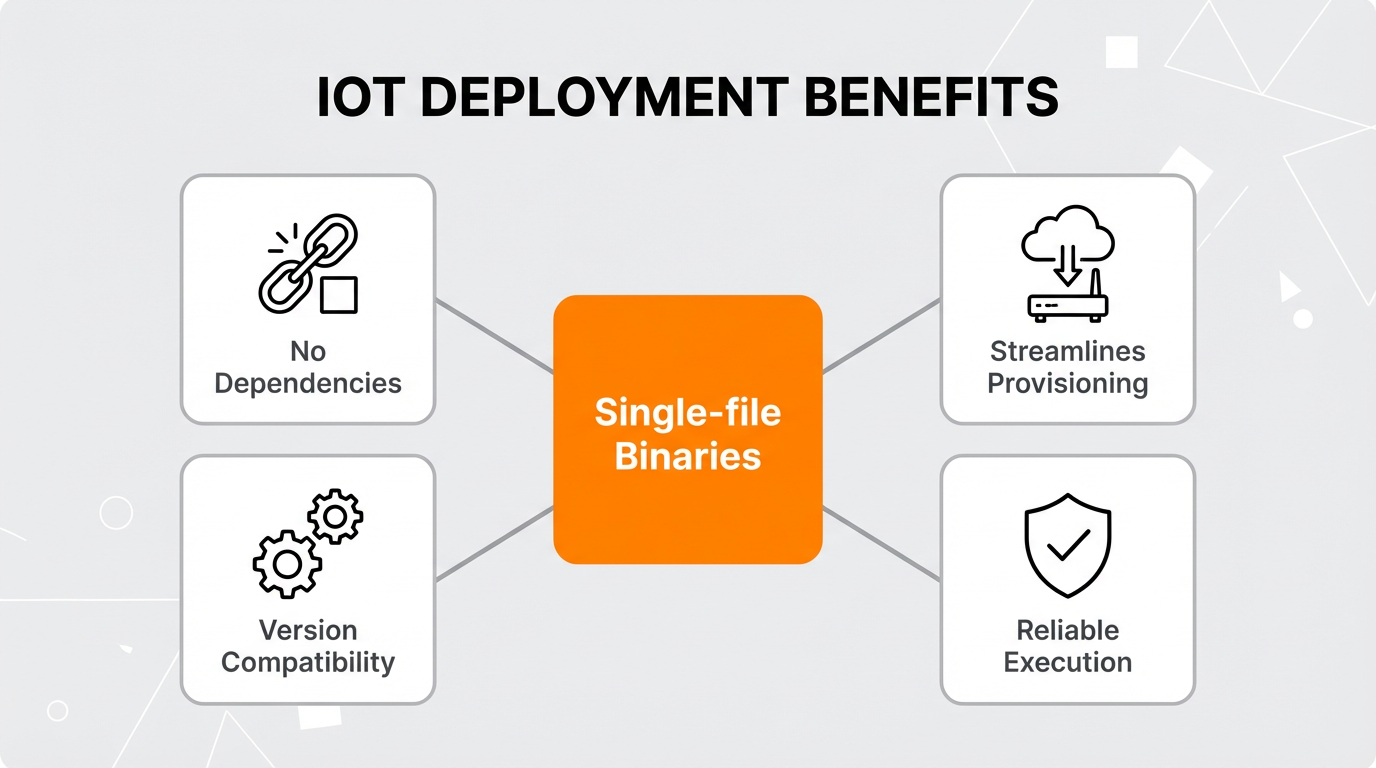
Deploying .NET applications to embedded Linux involves publishing self-contained, single-file binaries optimized for the target hardware architecture. A self-contained deployment bundles the .NET runtime and all required libraries into a single executable. This means no pre-installed dependencies are required on target IoT devices like smart meters and edge gateways. Developers publish these applications as single-file binaries to simplify distribution across minimal Linux distributions, such as Yocto and Alpine.
These binaries are specifically optimized for deployment on hardware like the Raspberry Pi. This approach is great for devices like medical monitors and retail terminals because it:</p
Publishing a C# program as a single-file application simplifies remote debugging and software updates across minimal Linux distributions like Ubuntu Core and Debian. Ultimately, this makes cross-platform development much more reliable on the device. It ensures a consistent execution state even when the target embedded Linux platform lacks a pre-configured framework, which is crucial for isolated industrial modules and tracking units.
Developers widely use the framework to build crash-resistant interfaces across various industrial and commercial sectors. Engineers deploy the technology on IoT devices, automation control panels, and public-facing terminals to transition legacy hardware to modern Linux-based solutions.
These embedded systems deliver high-performance, reliable user interfaces in environments like factory floors or hospital rooms. Thanks to cross-platform development, applications maintain continuous operation even when facilities upgrade their physical machinery.
Avalonia UI powers industrial HMIs by providing exact visual fidelity and highly responsive touch interfaces. It relies on hardware acceleration, direct rendering, and direct machinery integration to keep industrial control systems reliable.
Many companies use these Linux-based solutions to build modern interfaces for manufacturing contexts, such as assembly dashboards and robotics controllers. The technology delivers consistent layouts and fluid touch gestures on embedded systems, ensuring the user interface remains stable when facilities upgrade their underlying embedded Linux hardware.
Kiosk application development creates a single, full-screen application that serves as the exclusive user interface. By bypassing traditional desktop environments, this method improves both security and performance. It uses Kiosk Mode to lock down the device, running only the designated UI application on embedded Linux. Locking down the system does two things: it prevents unauthorized access and frees up hardware resources in devices like retail terminals and information booths.
The framework ensures graphics render accurately with consistent output across different kiosk hardware. The Skia rendering engine processes graphical data directly, ensuring the interface looks identical across diverse physical platforms, including x86 machines and ARM-based IoT devices. When deployments require low memory usage, these solutions deliver fluid, zero-latency interactions without relying on a display server.
Avalonia UI integrates with industrial control systems by acting as a modern UI bridge to industrial protocols and enabling direct hardware manipulation. The framework serves as the visual frontend for complex, automated manufacturing processes, such as assembly line monitoring and robotic arm management. By connecting the graphical interface directly to standard communication frameworks like Modbus and OPC, the application retrieves machine data with low latency. Because of this setup, data syncs in real-time between the HMI and the physical machinery.
To interact directly with physical hardware components—like mechanical actuators and temperature sensors—developers use specific .NET libraries. Programmers apply these software extensions to control physical devices directly from the application via GPIO interfaces. With these extensions, your C# code can trigger physical actions on the target board, such as opening valves and activating relays.
These solutions provide operators with interfaces that respond without delay to manage automated tasks on embedded systems like industrial PLCs and monitoring panels. The framework guarantees reliable operation across distributed IoT devices like smart meters and edge gateways. Manufacturing facilities reduce downtime when engineers deploy this embedded Linux software on compatible controllers.
This .NET framework is a superior alternative to Electron for resource-constrained embedded systems, because it uses much less memory and offers native performance. The architecture serves as a better choice for cross-platform development because it uses a lightweight, compiled C# core instead of relying on an overhead-heavy web wrapper. Compared to Electron, you get lower resource consumption, faster startup times, and direct hardware acceleration. Let’s be honest, we’ve all felt the pain of an Electron app draining system memory, which is exactly what you want to avoid on a constrained embedded device. The framework uses a dedicated rendering engine to process the user interface directly, contrasting sharply with web-based rendering that demands excessive processing power.
Applications run efficiently by removing the dependency on resource-intensive display servers, avoiding the significant system overhead typical of web-based wrappers. While programmers can use WebAssembly to execute the software in a browser environment if needed, deploying directly to embedded Linux ensures true native execution without the browser overhead. In environments like custom Yocto builds and Alpine, these solutions deliver reliable performance. The graphical output stays fast and responsive, even when targeting constrained embedded systems like smart meters and industrial controllers.
Hicron Software proved to be a trusted partner with unmatched technical expertise, delivering a scalable and user-friendly web application that was pivotal to our successful U.S. market expansion.

Hicron’s contributions have been vital in making our product ready for commercialization. Their commitment to excellence, innovative solutions, and flexible approach were key factors in our successful collaboration.
I wholeheartedly recommend Hicron to any organization seeking a strategic long-term partnership, reliable and skilled partner for their technological needs.

After carefully evaluating suppliers, we decided to try a new approach and start working with a near-shore software house. Cooperation with Hicron Software House was something different, and it turned out to be a great success that brought added value to our company.
With HICRON’s creative ideas and fresh perspective, we reached a new level of our core platform and achieved our business goals.
Many thanks for what you did so far; we are looking forward to more in future!

Hicron is a partner who has provided excellent software development services. Their talented software engineers have a strong focus on collaboration and quality. They have helped us in achieving our goals across our cloud platforms at a good pace, without compromising on the quality of our services. Our partnership is professional and solution-focused!

The IT system supporting the work of retail outlets is the foundation of our business. The ability to optimize and adapt it to the needs of all entities in the PSA Group is of strategic importance and we consider it a step into the future. This project is a huge challenge: not only for us in terms of organization, but also for our partners – including Hicron – in terms of adapting the system to the needs and business models of PSA. Cooperation with Hicron consultants, taking into account their competences in the field of programming and processes specific to the automotive sector, gave us many reasons to be satisfied.

